- Engine
- Tick-accurate cumulative VWAP
- Repaint
- Never — values final on close
- Update modes
- Bar close (exact) · price change · each tick
- Session reset
- Daily · Weekly · Monthly
- Reset timezone
- Auto + 8 manual zones
- Anchored mode
- Anchor to any date & time
- RTH filter
- Custom start / end (HH:MM:SS)
- Bands
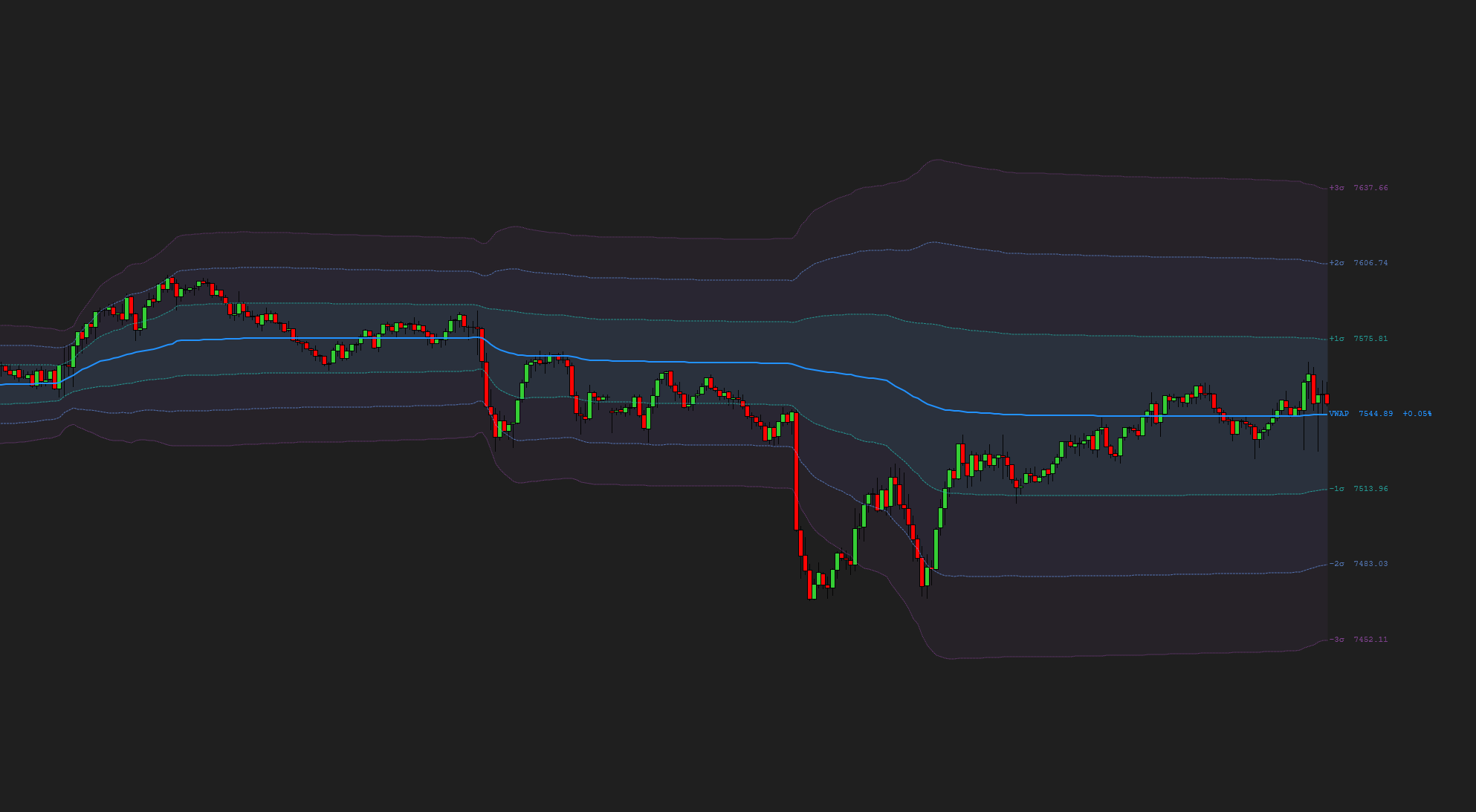
- 3 independent
- Band math
- Std-dev (σ) or % offset
- Per-band lines
- Color, thickness, opacity, style
- Fills
- Between bands, adjustable opacity
- Chart types
- Tick · min · volume · range · Renko
- Data feeds
- Any provider (Rithmic, Kinetick…)
- Platform
- NinjaTrader 8
- License
- One-time — per purchaser
- Updates
- Free, lifetime
- Version
- 1.0 — 22 Jun 2026
- Main line
- Color, thickness, opacity, style
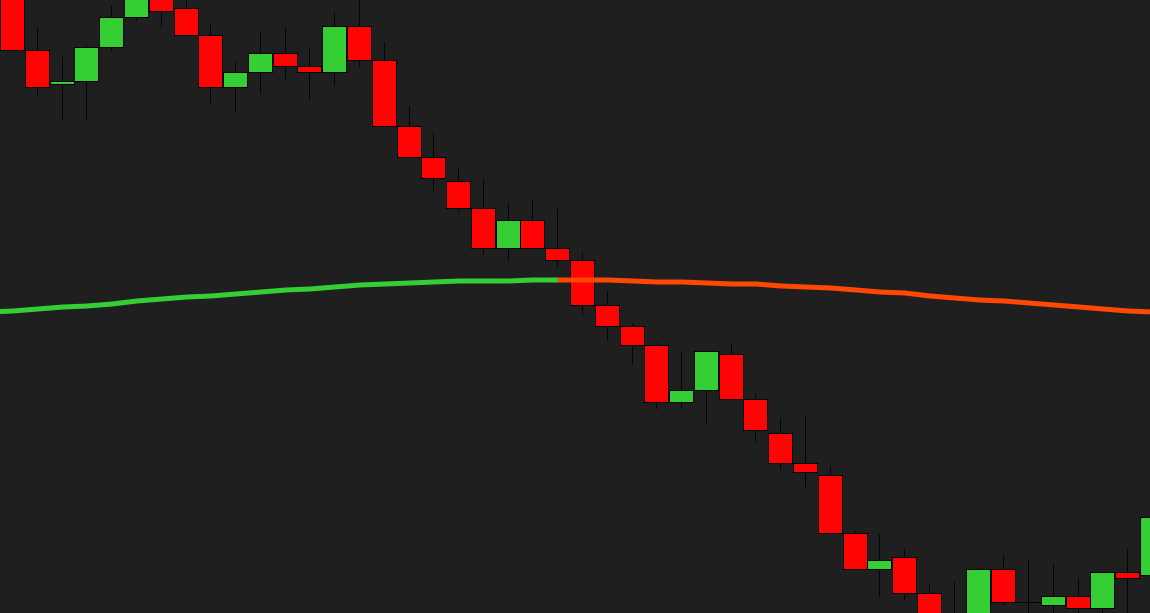
- Dynamic color
- Separate above / below VWAP
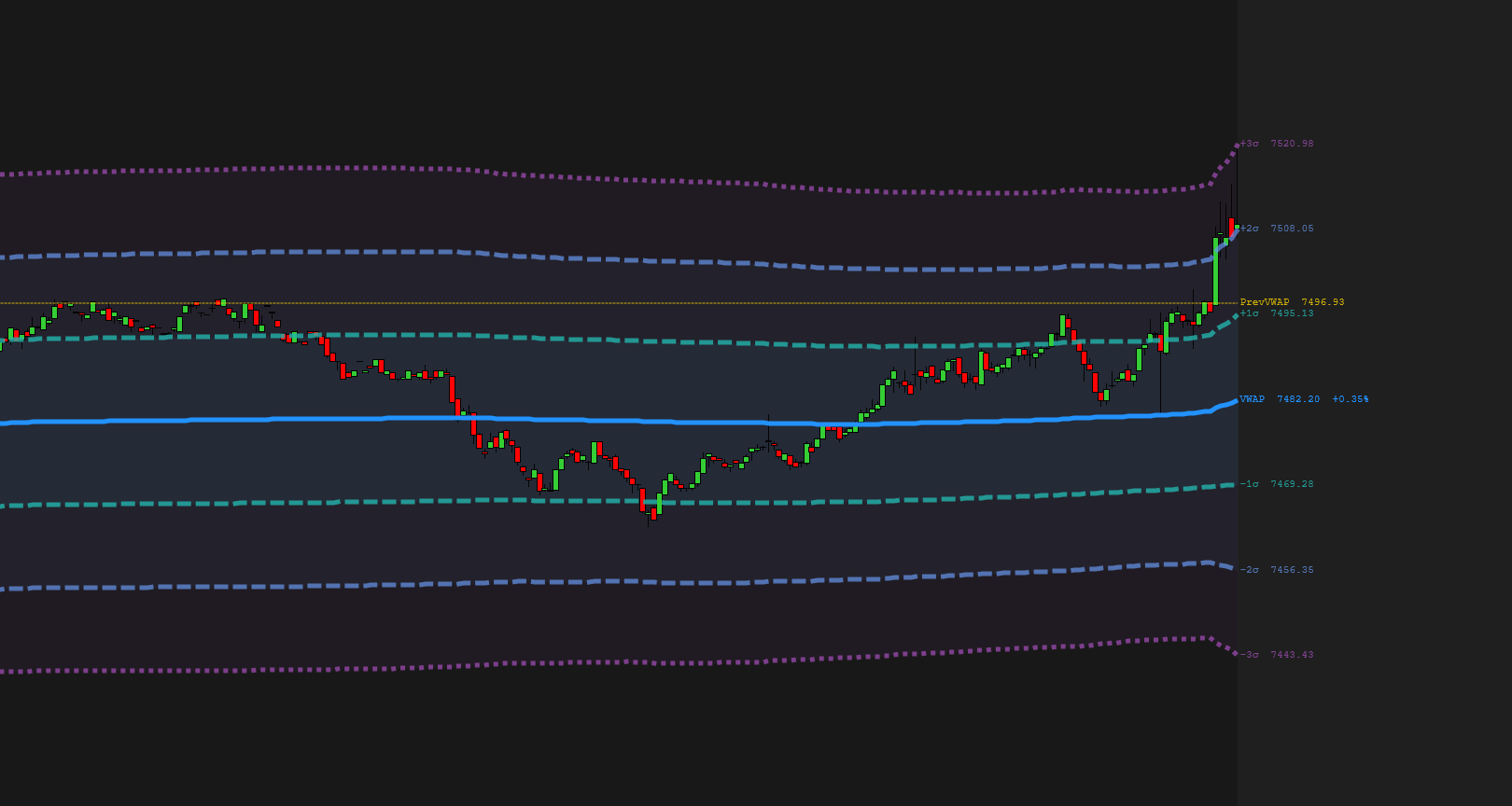
- Prev-session VWAP
- Optional reference line
- Content
- Price + dev · price · dev · off
- Fonts
- 6 families
- Precision
- Auto or 0–4 decimals
- Visual presets
- Normal · Simple · Advanced · Custom
- Line styles
- Solid · dash · dot · dash-dot
- Control
- Every color, width & opacity
- Types
- 5 — VWAP & prev-VWAP cross, 3 band breaks
- Cooldown
- Adjustable (seconds)
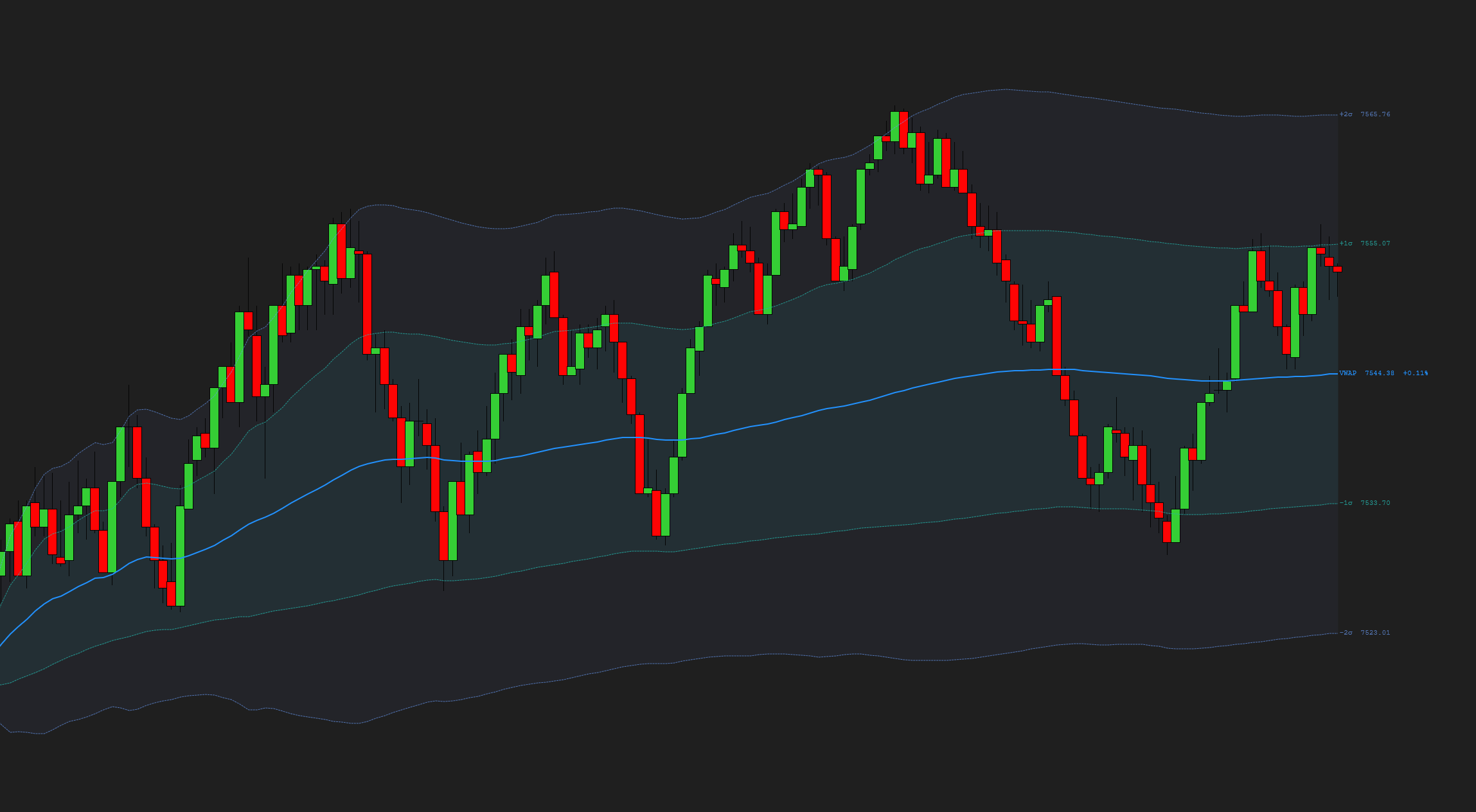
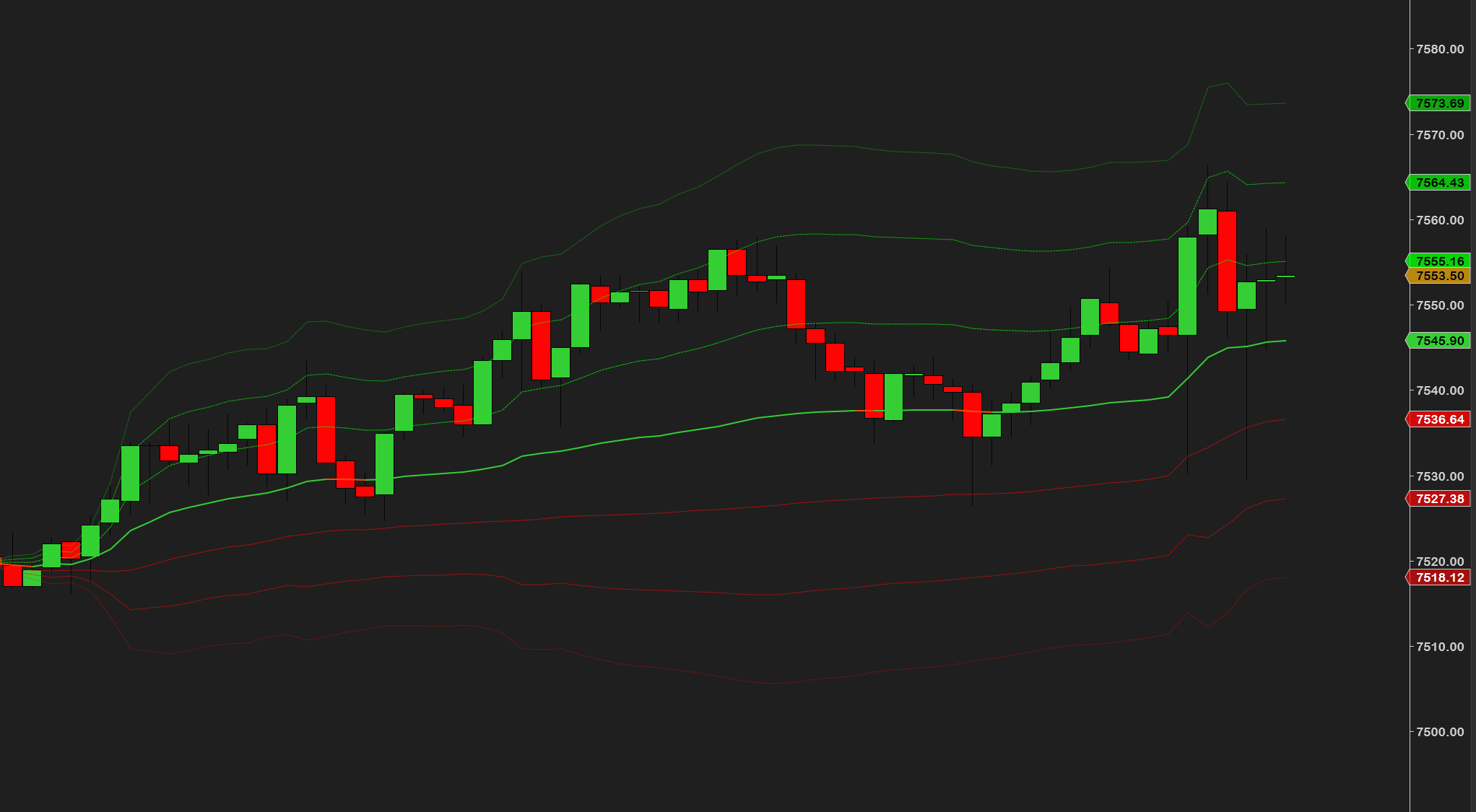
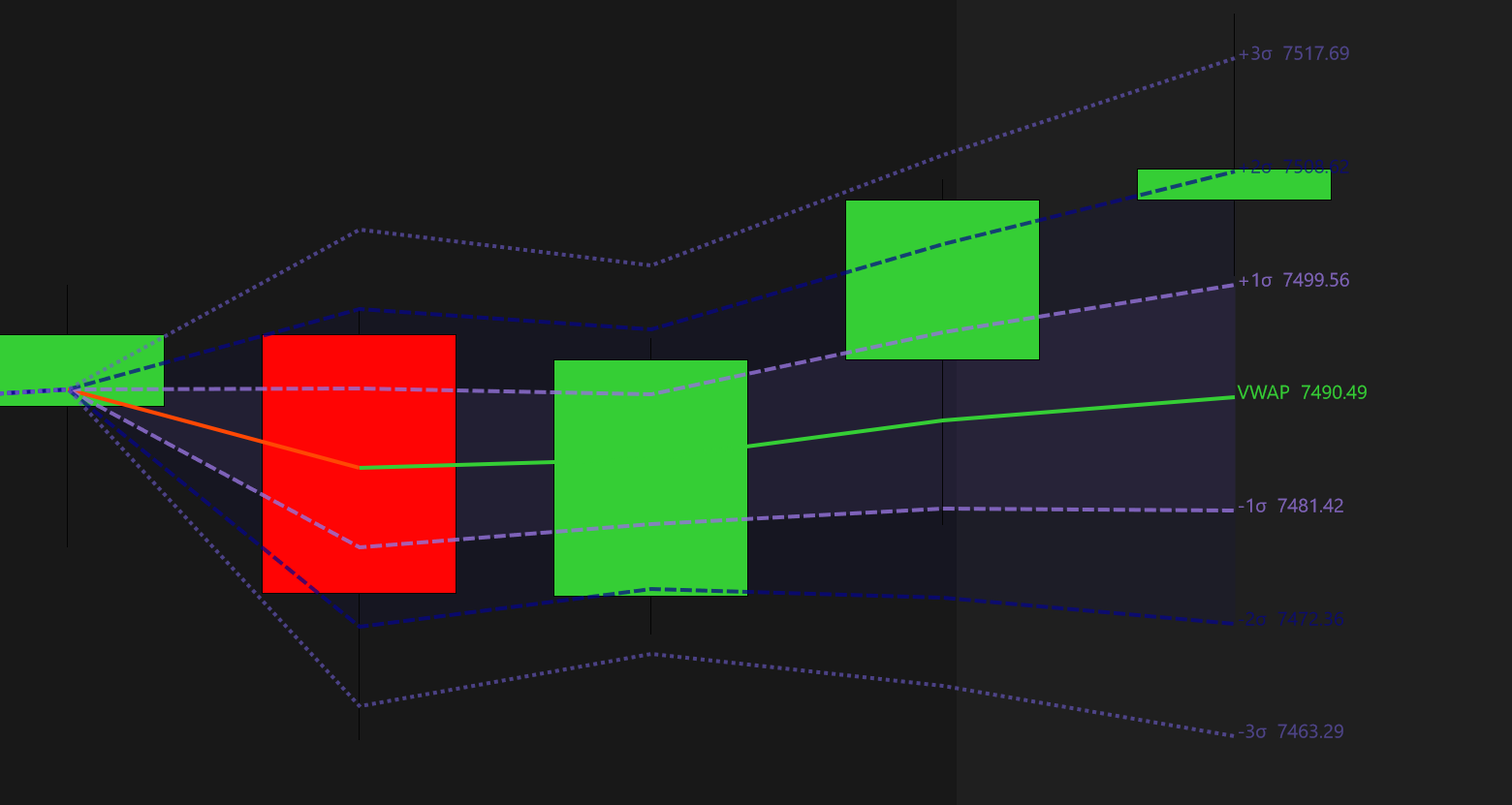
VWAP stands for Volume Weighted Average Price. Take every trade of the session, weight each price by the volume that traded there, and average it — that's the line. Not the middle of the range, but the true average price of the session: where the volume actually was.
It's arguably the most widely used indicator in trading — everyone from hobby traders to prop desks and institutions keeps some form of it on their chart. And that's exactly what makes it powerful: it's the reference the market itself is watching.
At its core, VWAP answers one simple question: are you buying above or below the average price? Above the line you're paying more than the average participant this session; below it you're getting a better price than most. That one fact makes it a natural reference point for entries, exits and session bias.
It's also how the big players grade themselves — institutions benchmark their fills against VWAP to work large orders into the market without overpaying. When that much size is anchored to one line, price tends to react around it — and now that line is on your chart too.
We wanted a VWAP we could truly make our own — every line, band, color and fill customizable — and one that just works, automatically, all day every day: correct session resets, correct timezone, no drift and no repainting on any bar type. That indicator didn't exist the way we wanted it, so we built it.
We'll be honest with you: no indicator does magic, and ProVWAP is no exception. What it is, is one of the best reference points in trading — one that has more than earned its place on a chart. Fade the stretch back to it, trade the retest, read the SD bands for how far price has wandered, or anchor it to a swing or a news bar — it bends to how you trade. Built and traded live every session by a working futures trader.
ProVWAP is an intraday tool at heart — VWAP resets with each session, so it's built for tick, minute, volume and range charts. Want one continuous line across days or weeks? That's exactly what Anchored mode and the Weekly / Monthly sessions are for.
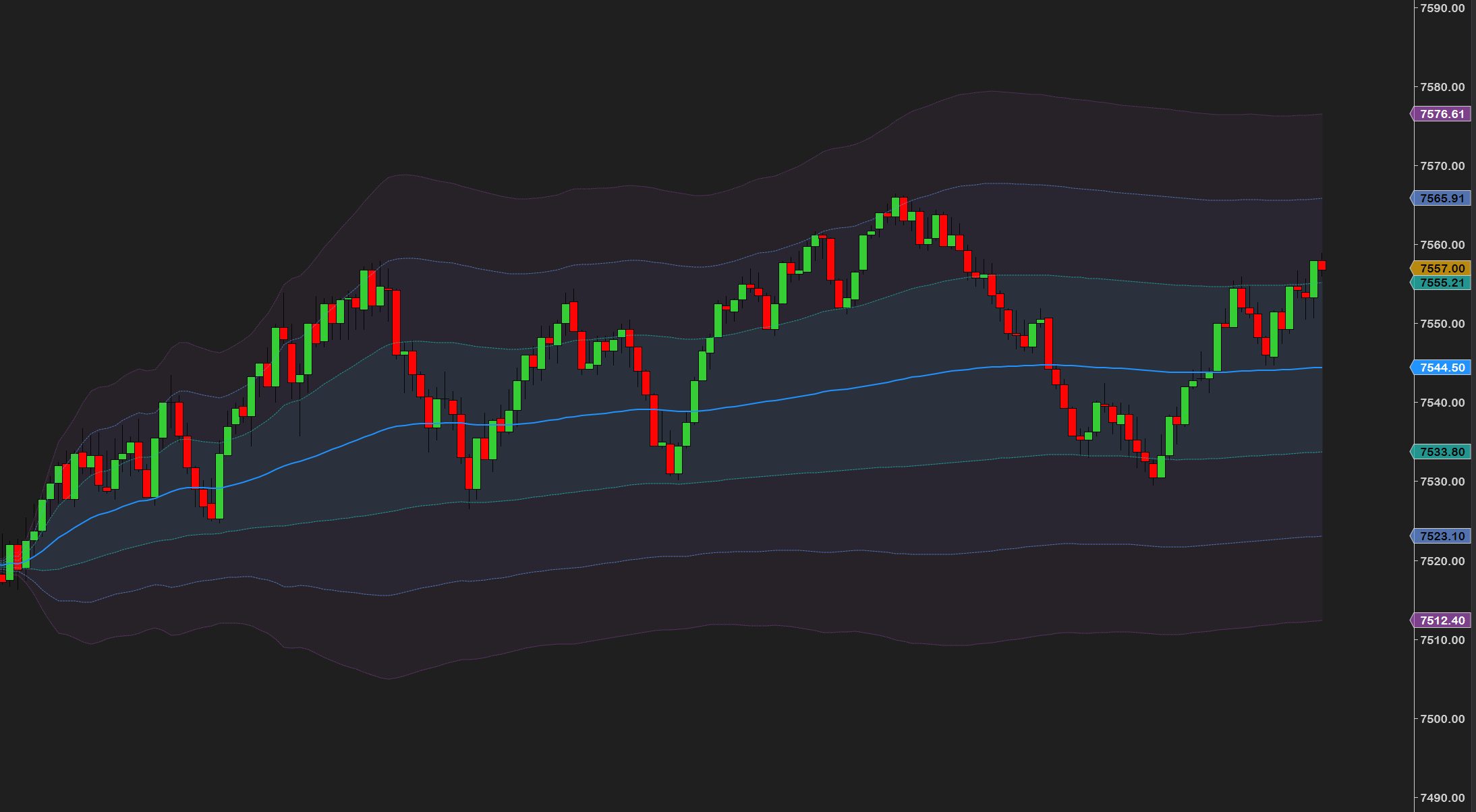
Price stretches away from VWAP, momentum dries up, and you trade the snap back toward the line. The SD bands tell you when a stretch is unusually wide for the session — that's where fades get interesting.
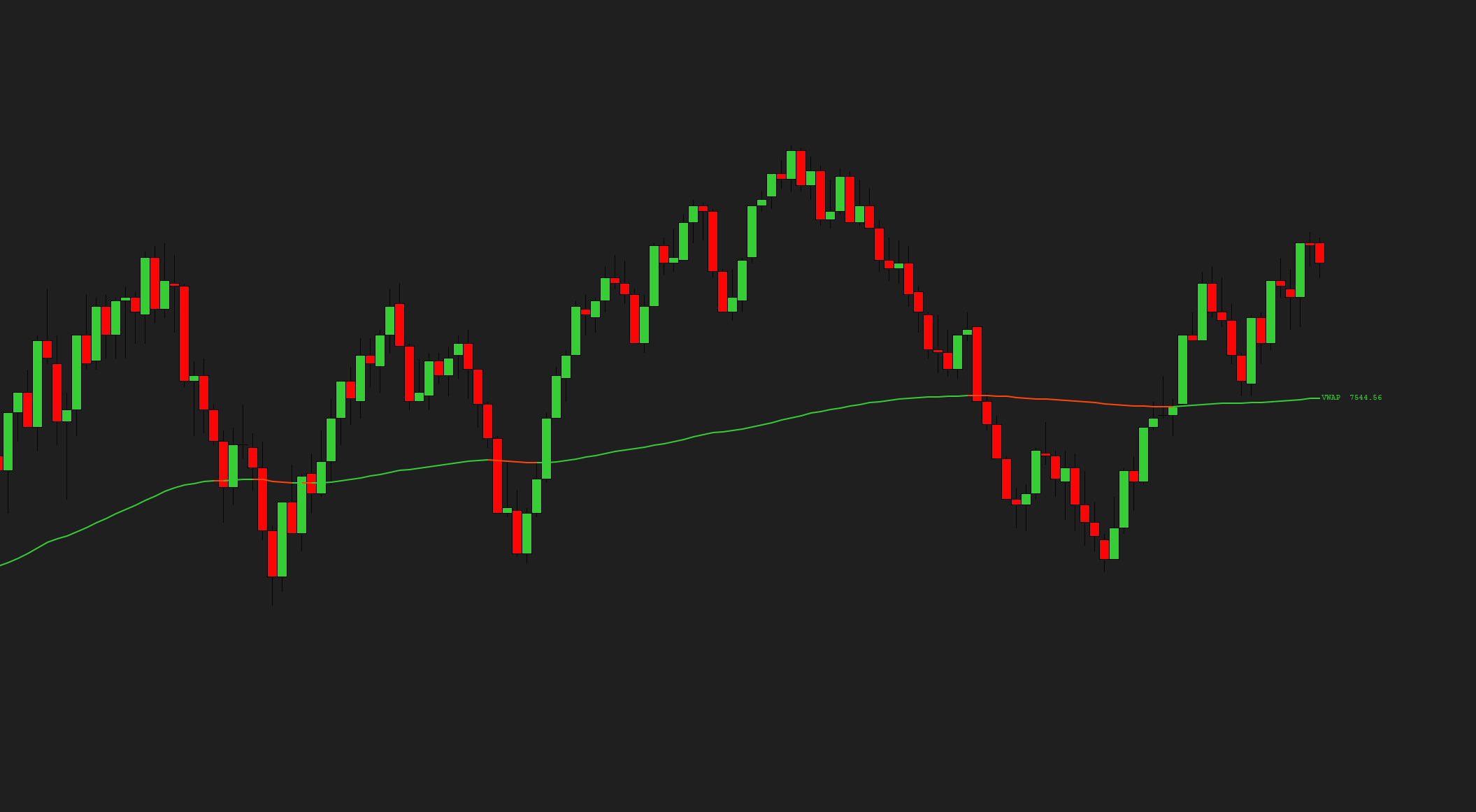
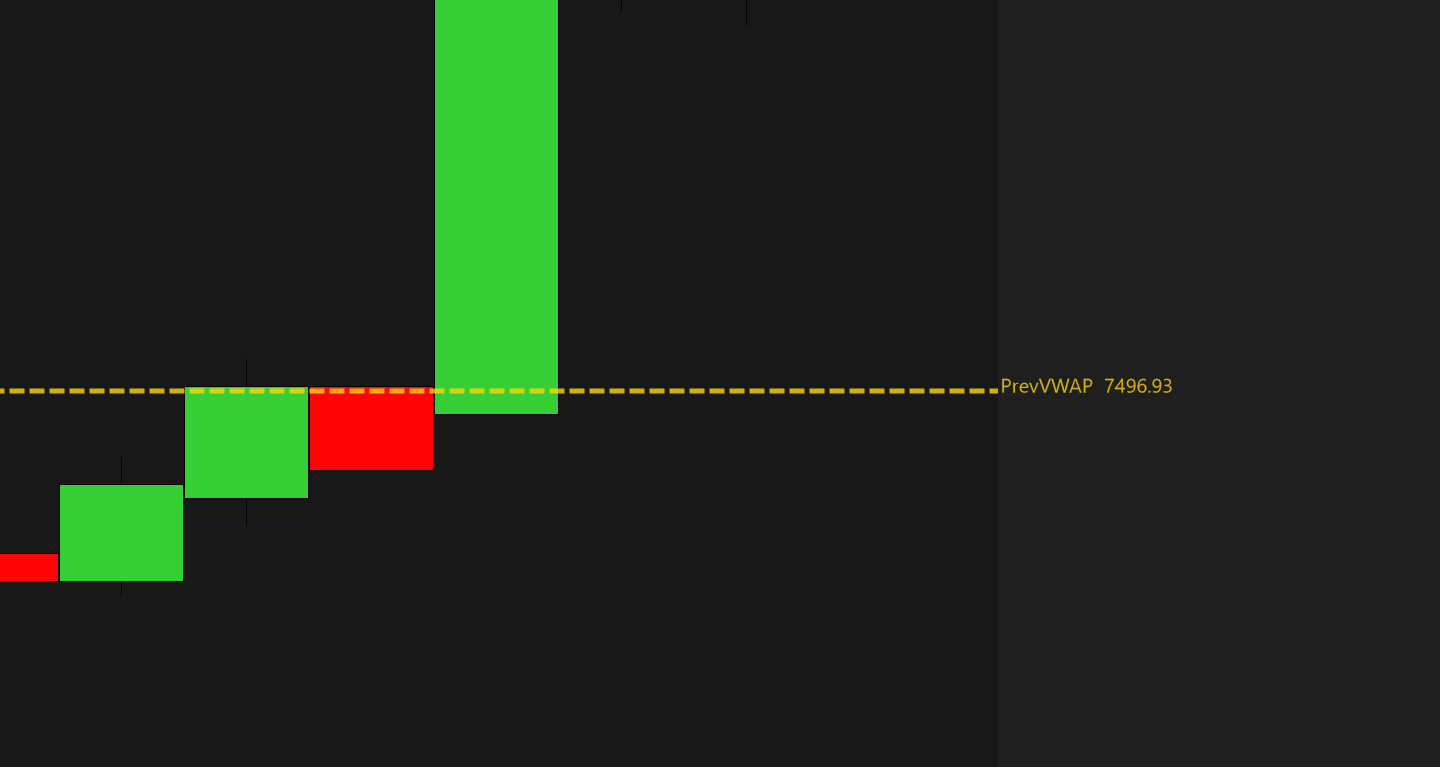
Price breaks through VWAP, then comes back to test it from the other side — and the line that was a ceiling often starts acting as a floor. A classic continuation entry with an obvious place for your stop.
The simplest use of all: above VWAP, favor longs; below it, favor shorts. Not a signal — a filter that keeps you from fighting the average price of the whole session.
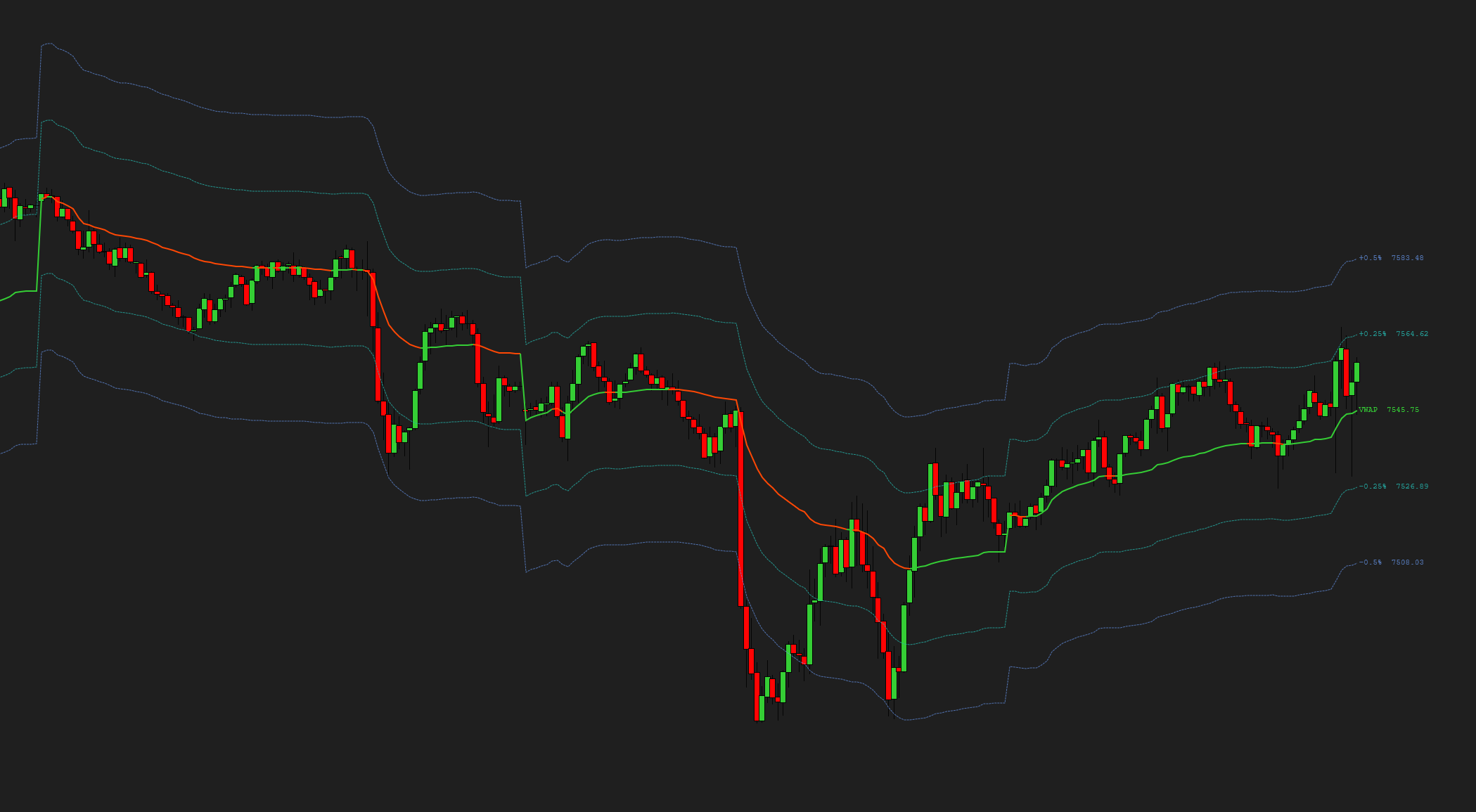
Drop an anchor on a news bar, a swing low or a breakout and track the average price of everyone in that move. While price holds one side of it, the move is intact — when it's lost, you know early.
None of these are trade signals — they're ways to use one honest reference point. The entries, the stops and the discipline are still yours.
New to VWAP? Read our full guide — How to Add & Use VWAP in NinjaTrader 8 →
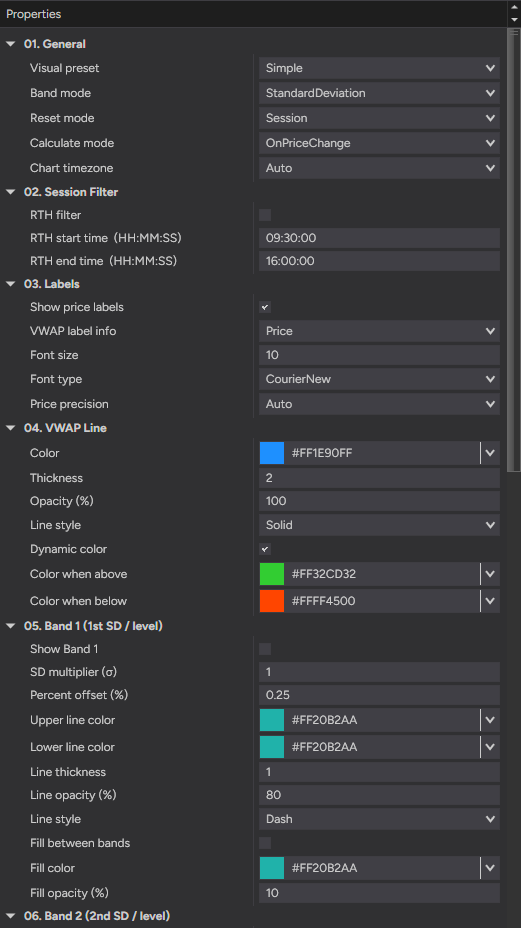
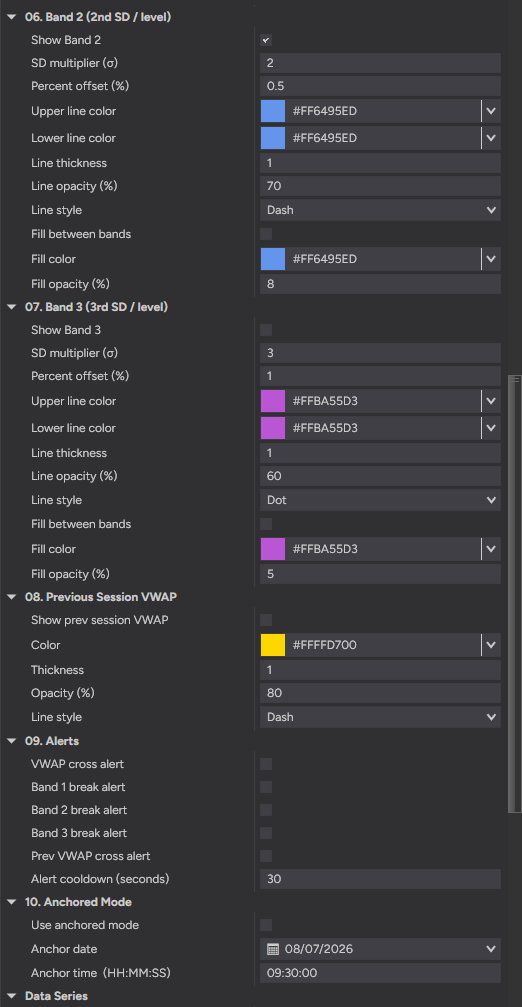
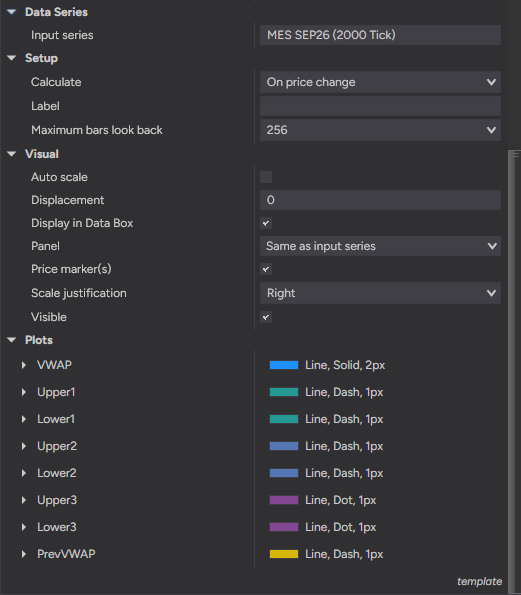
ProVWAP is built to be set up once and left alone. Nothing is hard-coded — below is the actual settings panel: ten numbered groups, plain-English names, no cryptic abbreviations.
After checkout, download the ProVWAP .zip — it's on the confirmation page, and in your email receipt.
In NinjaTrader 8: Tools → Import → NinjaScript Add-On, then select the .zip.
Right-click any chart → Indicators, add ProVWAP, and adjust settings to taste.
- File
- ProVWAP_v1.0.zip
- Size
- 187 KB — lean, no bloat
- Format
- NinjaScript add-on (.zip import)
- Delivery
- Instant — checkout page + email
NinjaTrader 8 (latest version recommended)
A data feed with volume — VWAP needs volume to plot
Every chart type: tick, minute, volume, range and Renko
Any data provider — Rithmic, Kinetick, and more
Lifetime license — one-time purchase
Free updates — always current
Step-by-step installation guide
Email support from a working trader
Most traders are up and running in under a minute. Stuck on anything? Email us — we're traders too, and we answer.
Complete your setup
Tick-accurate VWAP with SD bands, anchored mode and multiple sessions — built and used by a working futures trader.
Futures trading involves substantial risk of loss and is not suitable for every investor. ProVWAP is a charting and decision-support tool only — it is not a trade signal, recommendation, or financial advice. Past performance is not indicative of future results.