Forty-seven settings in six groups, and what they add up to. The names in bold are the names in the indicator’s settings window.
NQ on your ES chart, up to three markets
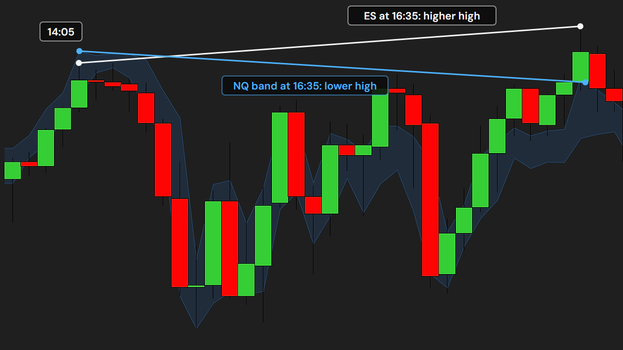
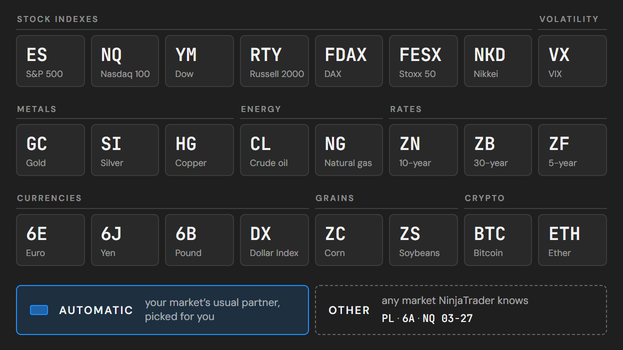
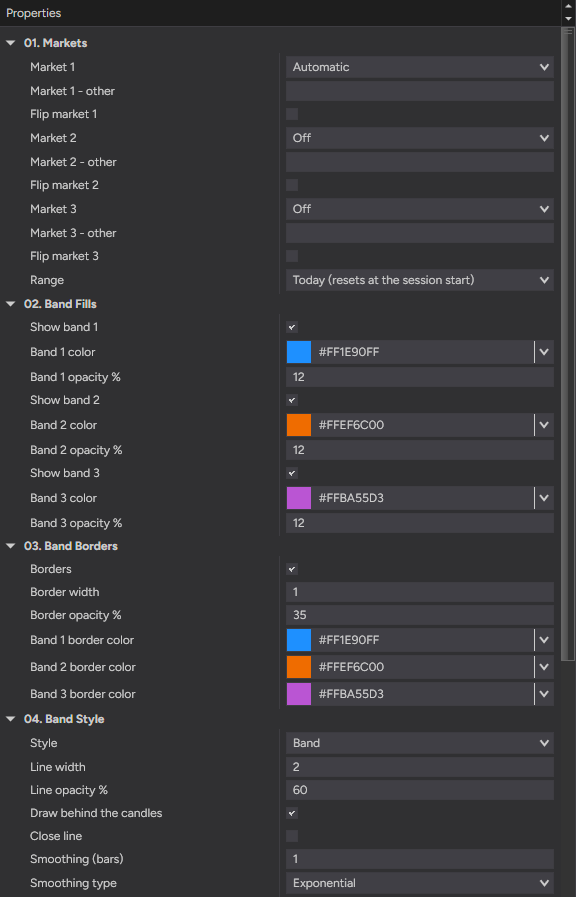
Market 1, Market 2 and Market 3 each pick a market from a list of 24 futures, or Other to type any market NinjaTrader knows in the row below. Market 1 starts on Automatic, the usual partner of your chart’s market, the other two on Off; set them to Automatic too and each takes the next market, never one already shown: NQ, then YM, then RTY on an ES chart. Flip market 1, 2 or 3 flips that band for a market that moves the opposite way to yours.
Today, or the last trading day
Range sets the period every market is measured over: Today, the default, since your chart’s session start and fresh every session, or Last trading day, the last full session of trading, rolling and never resetting. Every market is measured over the same minutes, the ones your own market trades.
See-through bands in your colors
Show band 1, Band 1 color and Band 1 opacity %, the same for bands 2 and 3: dodger blue, deep orange and medium orchid at 12 % by default, colors that read on a dark and a light chart. Borders frame each band’s top and bottom at the border width and opacity you choose, each in its own border color.
Band, blocks or a line
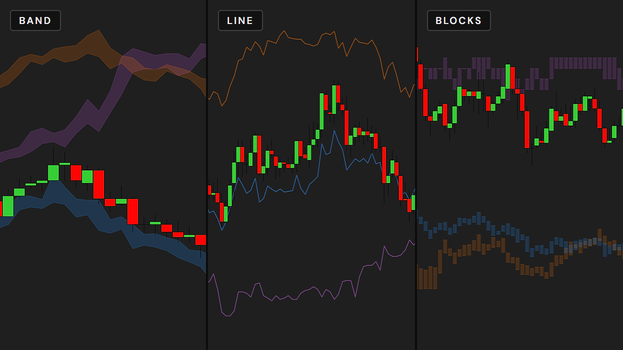
Style draws each market as one joined band, the default, as one block per bar, or as a Line of its closes at the Line width and Line opacity % you set. Draw behind the candles, on by default, keeps every candle and wick on top of the bands and lines on candlestick, hollow and OHLC charts; Close line adds the closing prices inside a band, and Smoothing (bars) with Smoothing type calms the edges, off by default so the band always shows each bar’s exact high and low.
The label: real price and distance
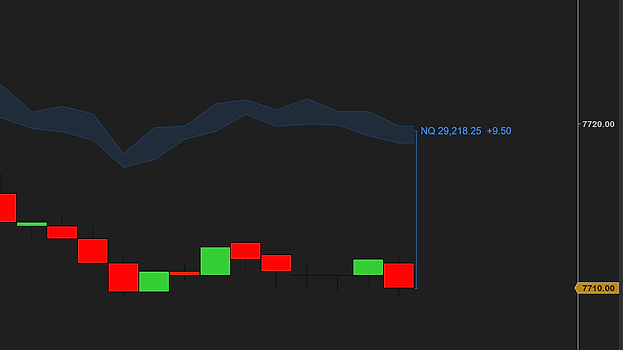
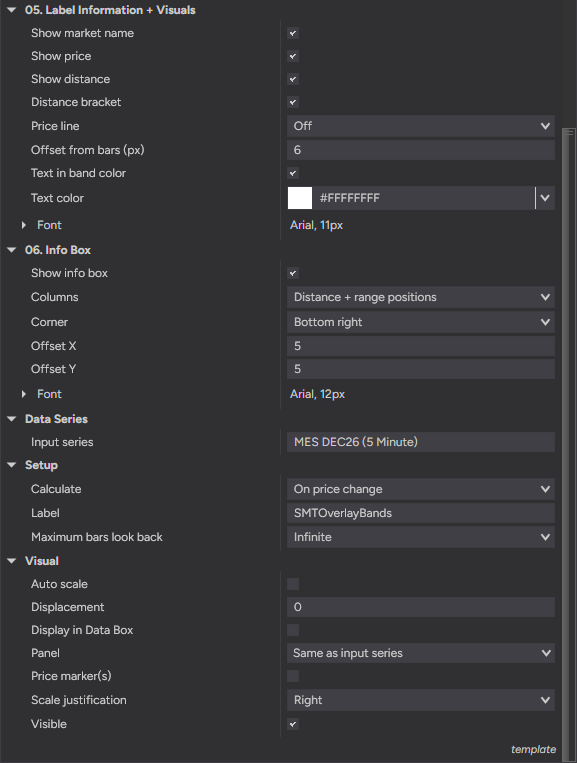
Beside the newest bar, each band carries a label: Show market name, Show price with the other market’s real last price, and Show distance in your market’s points, with a Distance bracket drawing it as a line. Price line adds dashed lines across the chart or right of the last bar, off by default; the offset from the bars, the text color, the band’s or your own, and the font set the look.
An info box that never moves
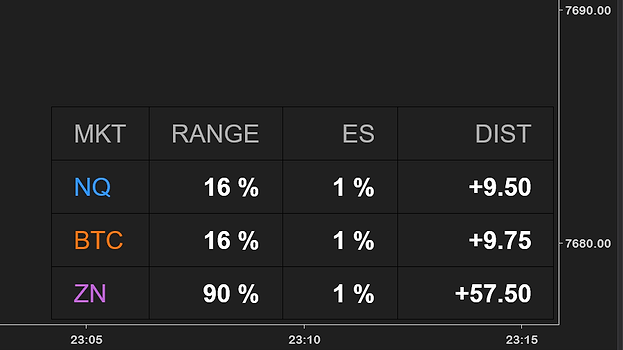
Show info box puts the numbers in a small table, on by default; switched off, the box shows only what needs your attention, like a market your feed does not carry. Columns picks the distance, the range positions, both, or everything; Corner, two offsets and a font place it, bottom right by default.