
Free NinjaTrader 8 indicators & add-ons
Completely free No card required Full versions 1,600+ downloads
Nothing found. or ask us to build it.
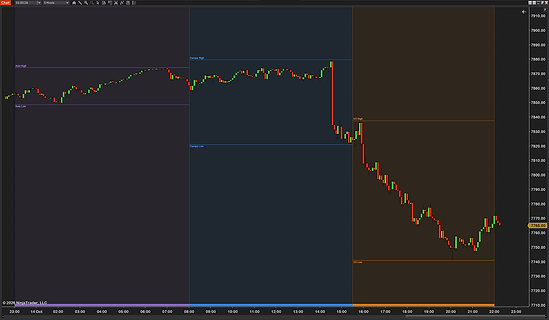
Asia, Europe and the US in color. Session high and low lines. Eight presets, ICT killzones too. Six sessions of your own. Daylight saving handled all year.
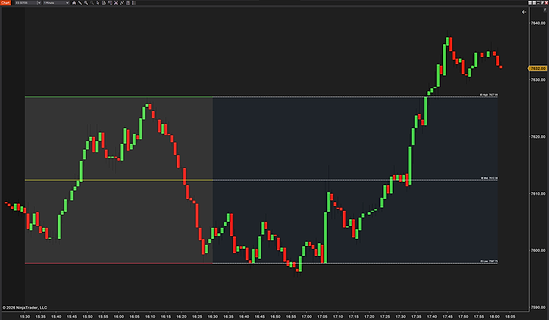
High, low & mid built live as the range forms. US, London, Tokyo & Sydney presets — timezone aware. IB window any length from 5 to 240 minutes. Unlimited extension levels, zones & previous sessions. Every line styled separately during and after the IB.
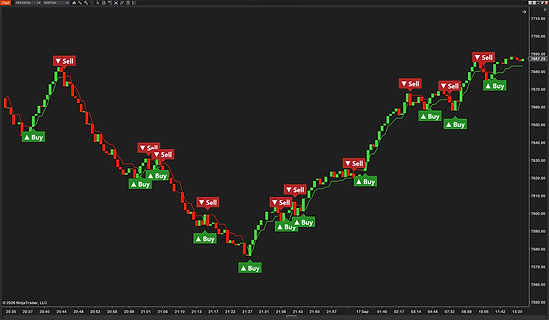
ATR trailing stop line with Buy & Sell signals. Signals made at the bar close, no repaint. Sound alerts, one sound for each side. EMA trend filter and Heikin Ashi signals. Label: bars since flip, stop price, flip count.
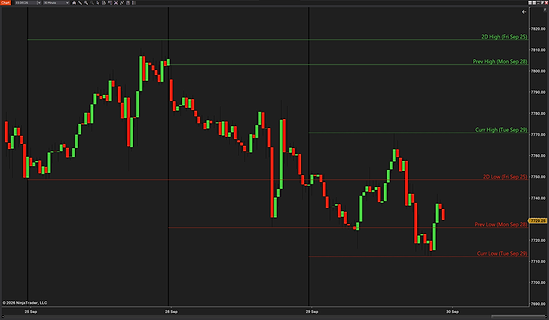
Previous day high & low (PDH/PDL). Up to 9 days back, today live. Optional midpoint, close and open lines. Fade older days — today always clearest. Labels: day, date, level and price.
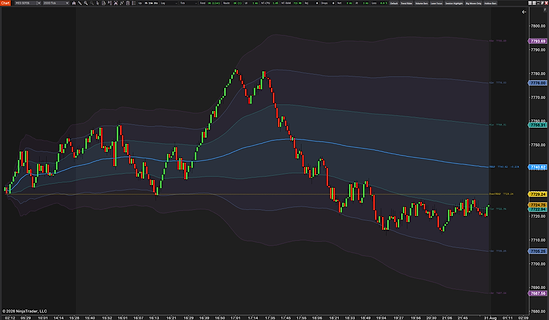
Standard & anchored VWAP modes. Upper/lower standard deviation bands (1SD, 2SD, 3SD). Multiple session types & reset options. Updates on every price change. Color, opacity & label fully customizable.
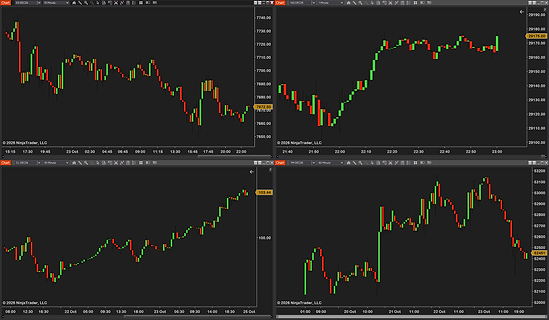
Tile your charts in one click. Grids or one big chart + others. Undo and a saved look. Room kept free for your DOM. Up to 4 pinned toolbar layouts.
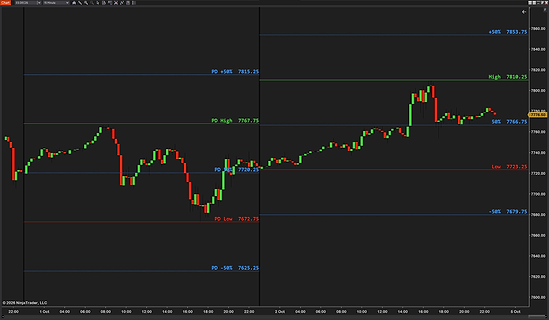
Today’s high, low & midpoint, live. Any % level of the range you type. Overnight, premarket or RTH session. Previous day’s levels across today. Labels and an info box.
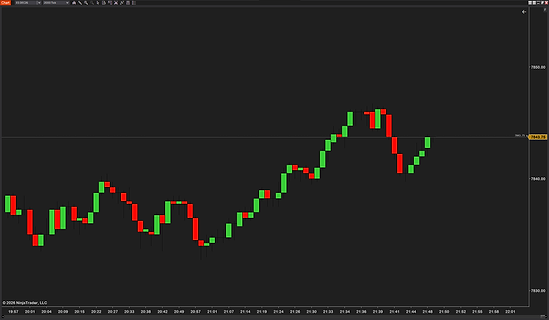
A line and price label glued to the last price. 5 color modes: by tick, session open, ask or bid. Session stats in the label: open, close, H/L, range, volume. Bid and ask lines that follow the quote. Shows the price’s age when the market goes quiet.
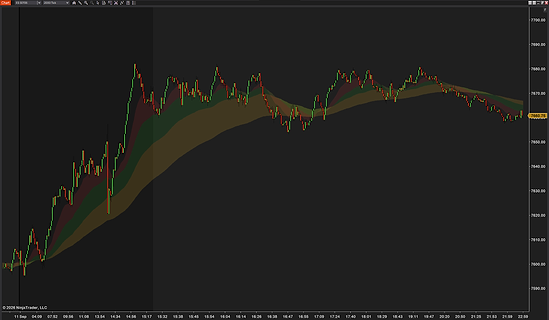
4 fully configurable MA inputs. Color fill between each EMA pair. Independent color & opacity per zone. 8 MA types — EMA, SMA, HMA & more. All timeframes & instruments supported.
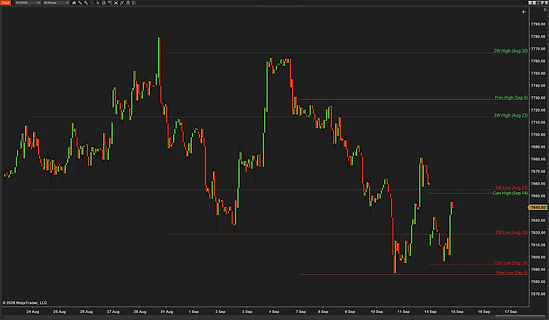
Weekly high & low lines, up to 10 weeks back. Optional midline and weekly open line. Fade older weeks — current week always clearest. Monday or Sunday week start for futures traders. Solid-then-dotted extension, right-edge price labels.
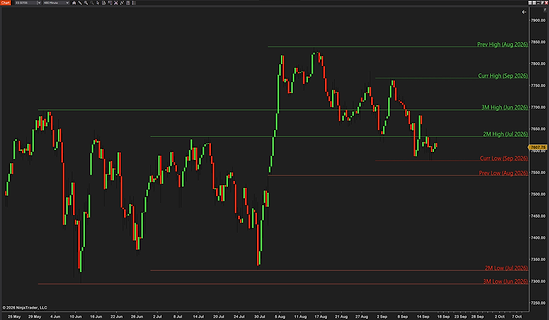
Plots every month's high & low as persistent lines. Choose how many months back to display. Green/red color coding for high/low lines. Price labels, opacity & line style customizable. Essential for spotting key historical levels on daily charts.
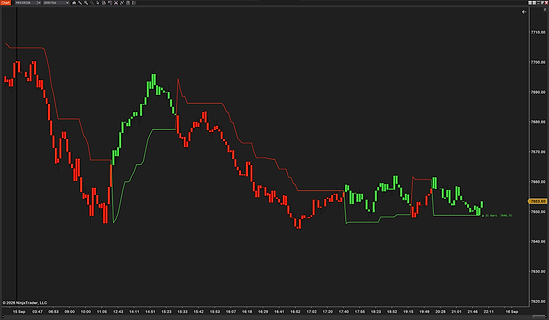
No-repaint by default — bar-close mode out of the box. ADX whipsaw filter for cleaner signals in chop. Decimal ATR multipliers (1.5, 2.5, 3.5...). Smart inline label: bars, price, distance, % since flip. Per-direction colors, thickness & dash style.
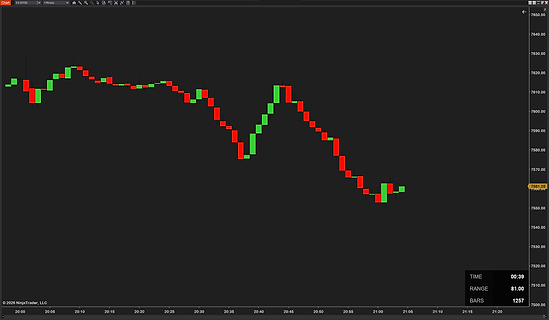
Tick/time remaining counter & bar count. Daily range counter updated in real time. Checks the clock 5× a second. Auto-adapts to tick, time & volume chart types. Font, color, size & placement fully customizable.
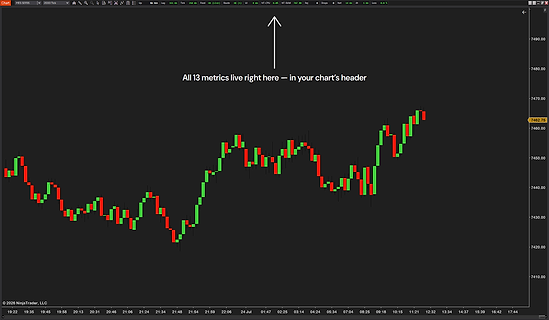
Live HUD: chart lag, data feed, order routing. 13 metrics — connection, NT8 CPU/RAM, rejections. Color-graded severity — green / yellow / red at a glance. Your own warning and critical level per metric. Game-style “FPS counter” for NT8 traders.
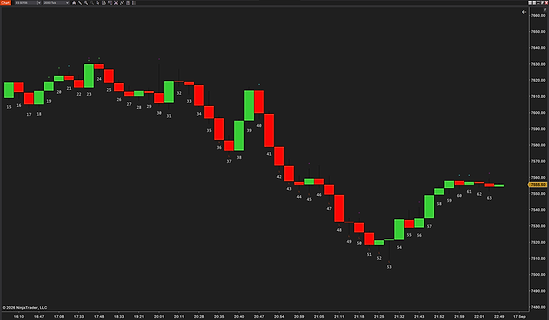
Numbers every bar in the session. Inside, Outside, H & L bar markers. 8 session presets + Custom timezone. 5 visual presets, every color tweakable. Auto-skip at zoom-out, auto-contrast.
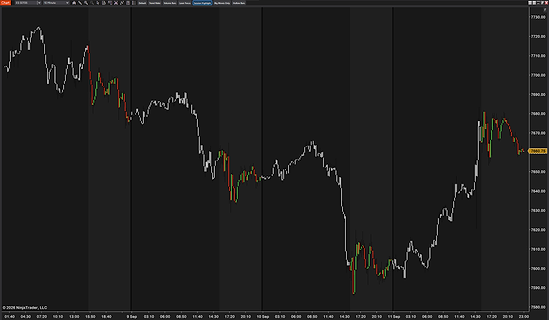
Save candle styles as presets — switch in one click. 6 built-in presets + 2 build-your-own slots. Color by MA trend, volume, session, or big moves. Solid or hollow bars, per-direction outline & wick color. Nothing changes until you click — instant, clean revert.
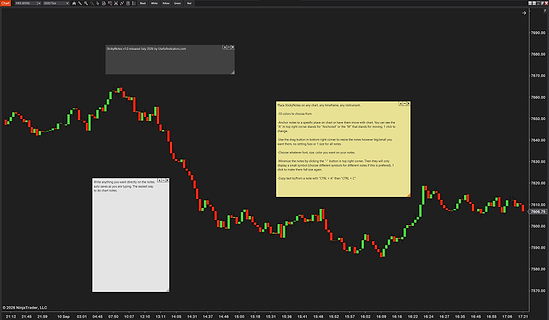
Two anchor modes — sticky to bar & price or pinned to viewport. 10 color templates + 8 minimized icon shapes. Drag to reposition, drag corner to resize. Toolbar + right-click "Add note here" — instant placement. Persists across NinjaTrader restarts.
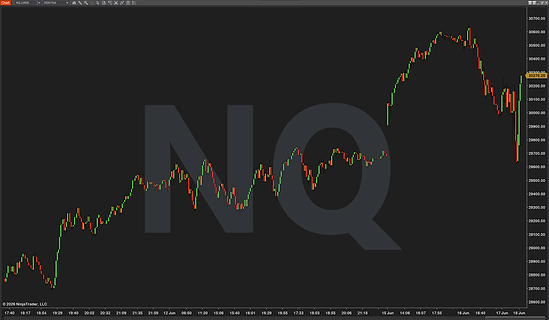
Big-text instrument watermark. Symbol, contract, timeframe, or bar type. 7 theme presets ready to use. 9 anchor positions with pixel offsets. Drop shadow, outline, 15 fonts.
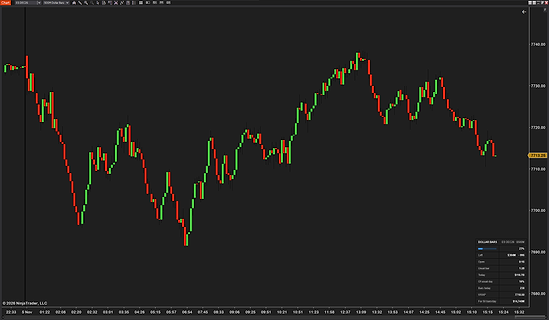
One bar per set dollar amount. Built from every trade. Same bars on reload. Info box with fill and time. Speed colors and alerts.
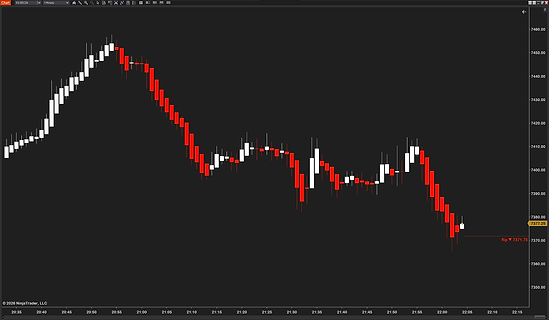
Classic or smoothed Heiken Ashi. On any bar type, Renko too. Real prices stay underneath. Flip price and strong candles. Alerts and a strategy indicator.
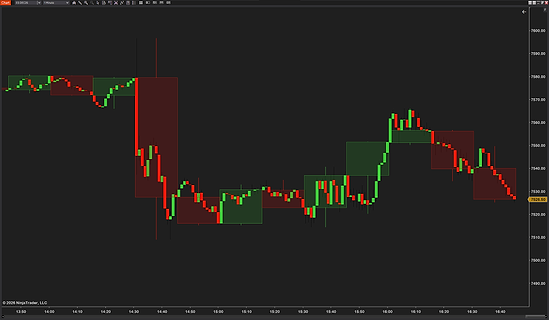
Higher-timeframe candles over your bars. PO3 stack with the time left. CRT lines and sweep marks. Tick, range and Renko charts too. Three alerts, off until you want.
Free NinjaTrader 8 indicators, add-ons and bar types
All 21 tools on this page are free to download and keep. That is 14 indicators, 5 add-ons, a bar type and a chart style. Each is the full version, with no trial, no card, no license key and no expiry, and every update is free. They run on NinjaTrader 8, and the free version of NinjaTrader is enough. The checkout needs only your email, and your downloads open on the next page. Looking for one kind? See the NinjaTrader 8 indicators list, our NinjaTrader 8 add-ons or every bar type and chart style.
List updated 10 Nov 2026Indicators
Version · released- CurrentPriceLineA price line with up and down colors and session statsv1.1 ·
- Daily H/L LinesPrevious days’ highs and lows, labeled at the pricev1.1 ·
- EMA Color ZonesAn EMA cloud that shows trend, pullbacks and chopv1.1 ·
- HTF Candle OverlayHigher-timeframe candles over your bars, plus a PO3 stackv1.0 ·
- Live IB RangeInitial balance and opening range, drawn livev1.1 ·
- Live Range LevelsToday’s high, low and midpoint, plus any % levelv1.0 ·
- Monthly H/L LinesPrevious months’ highs and lows, labeled at the pricev1.1 ·
- ProBarCounterEvery bar numbered, with inside and outside barsv1.1 ·
- ProVWAPSession, anchored, weekly and monthly VWAP with bandsv1.2 ·
- Session ColorsAsia, Europe and US sessions in their own colorsv1.1 ·
- SuperTrendAn ATR trailing stop line with paint bars and alertsv1.1 ·
- Tick/Time + Range + Bar CounterTicks or time left in the bar, the range, the bar countv1.1 ·
- UT Bot AlertsBuy and Sell signals from an ATR trailing stopv1.0 ·
- Weekly H/L LinesPrevious weeks’ highs and lows, labeled at the pricev1.1 ·
Add-ons
Version · released- CandleStylerCandle colors by trend, volume, session or bar sizev1.1 ·
- ChartWatermarkThe chart’s symbol, contract or timeframe as a watermarkv1.1 ·
- Multi Chart LayoutTile your charts into an exact grid in one clickv1.0 ·
- StickyNotesColor-coded notes on a bar or pinned to the screenv1.1 ·
- SystemHUD13 live readings of your feed, connection and NinjaTraderv1.1 ·
Bar types and chart styles
Version · released- Dollar BarsA new bar every time a set amount of money tradesv1.0 ·
- Heiken Ashi CandlesClassic or smoothed Heiken Ashi on the bars you already usev1.0 ·
Questions about the free tools
Are these NinjaTrader 8 indicators really free?
Yes. Every tool on this page is the full version, with no cut-down features. There is no trial, no card, no license key and no expiry, and every update is free too. The checkout needs only your email, and your downloads open on the next page.
Do they work on the free version of NinjaTrader 8?
Yes. They need a recent version of NinjaTrader 8, and the free version of NinjaTrader is enough. You can check yours under Help › About. NinjaTrader 7 is not supported.
How do I install a free indicator in NinjaTrader 8?
Download the zip, then in NinjaTrader go to Tools › Import › NinjaScript Add-On, click OK on the warning if it shows and pick the file. Then right-click a chart, choose Indicators and add the tool. Free tools need no restart, except bar types and chart styles, which appear after one restart and are picked in Data Series instead. Multi Chart Layout is not added at all, because its button appears on the toolbar of every chart. Our install guide shows every step.
What is the difference between your free and paid tools?
Free tools are complete, cost nothing and need no license key. Paid tools are licensed to your NinjaTrader account. You can try each one free for 14 days, then buy it once or pay monthly. Both get every update free. The paid tools are on their own page.
How do I get updates?
Every update is free. The version list shows each tool’s newest version and what changed, and you can download the newest file again from the tool’s own page. To update, remove the old version with Tools › Remove NinjaScript Assembly, restart NinjaTrader and import the new file.
Can I use them on more than one computer?
Yes. Free tools have no license key and nothing to activate, so you can import them on every computer you personally use. Sharing the files with other traders is not allowed.