SuperTrend Settings in NinjaTrader 8, and Does It Repaint?
Two numbers control everything SuperTrend does, and one question decides whether you can trust it. Here is what the settings change, how the line is actually built, and what repainting does and does not mean.
What SuperTrend is
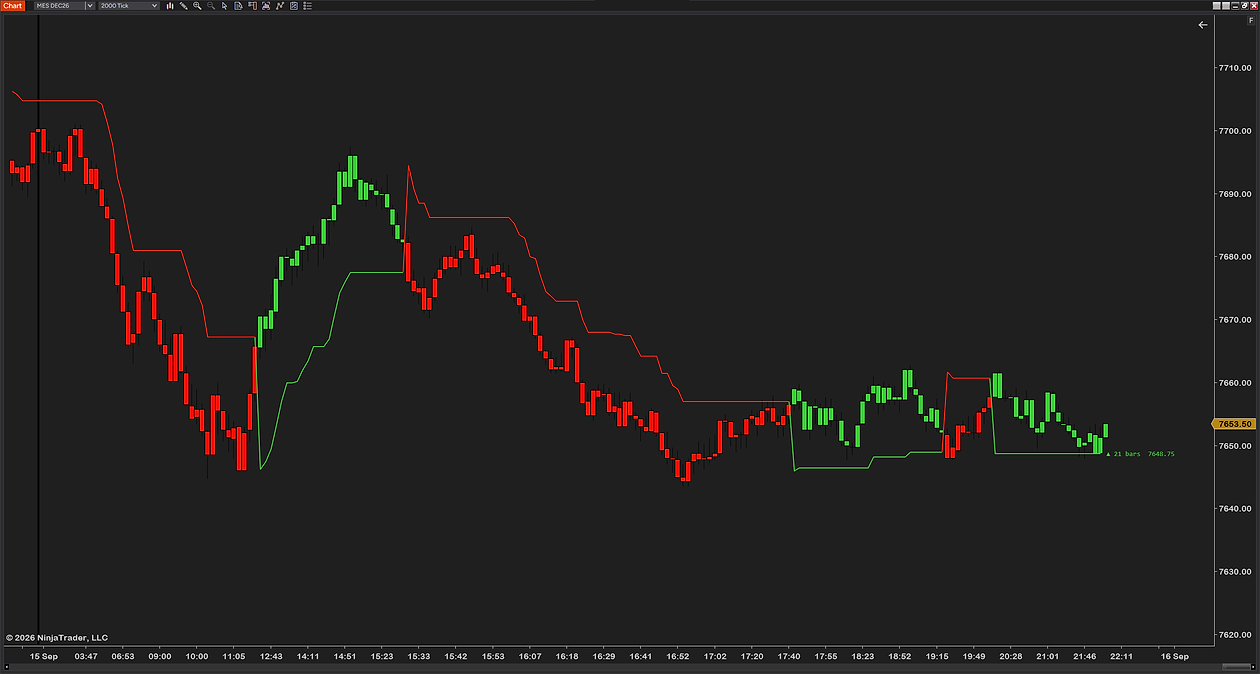
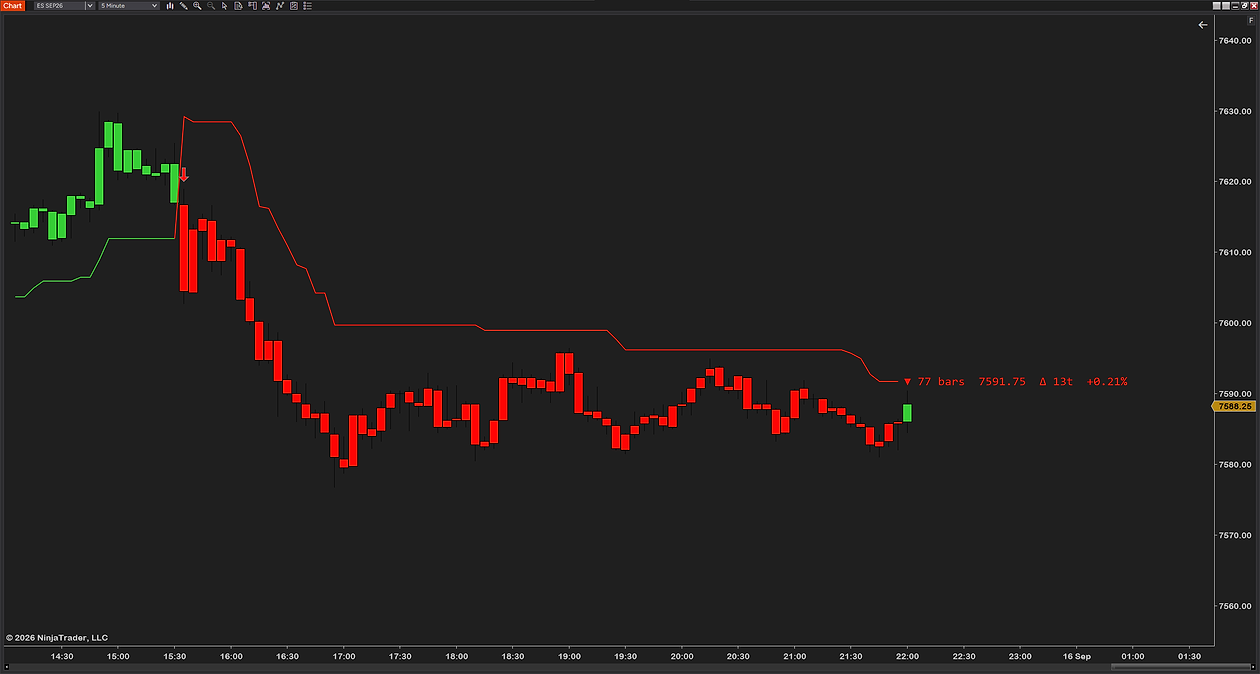
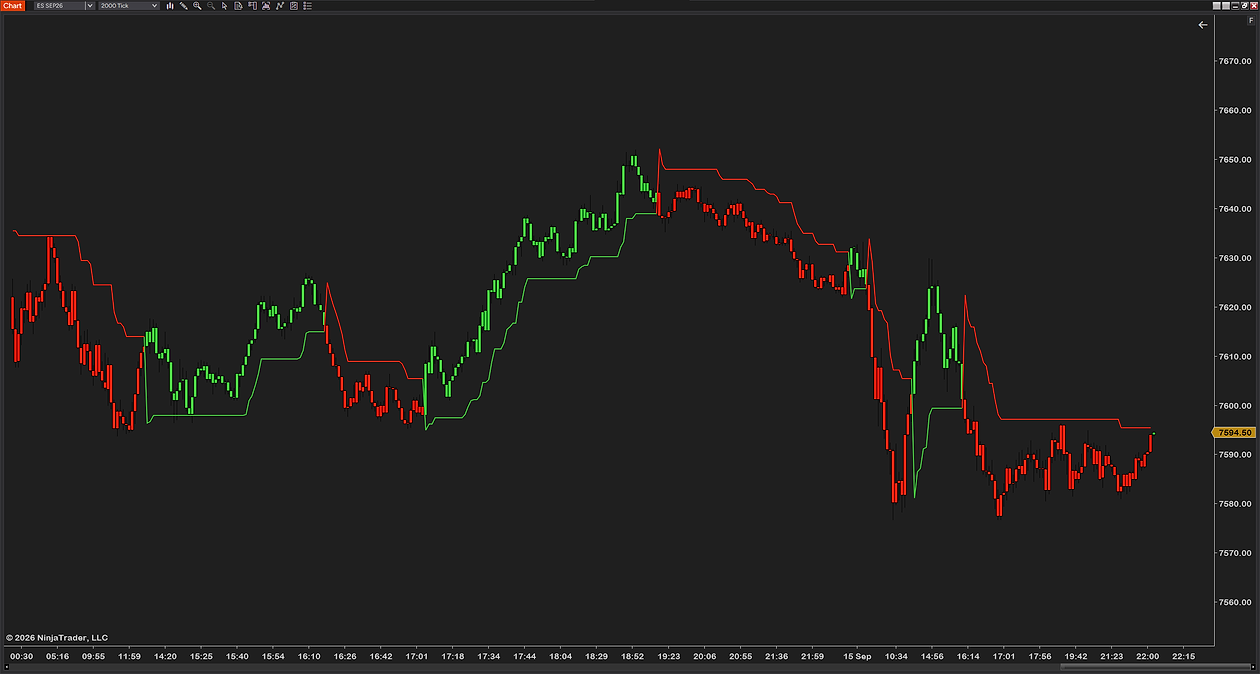
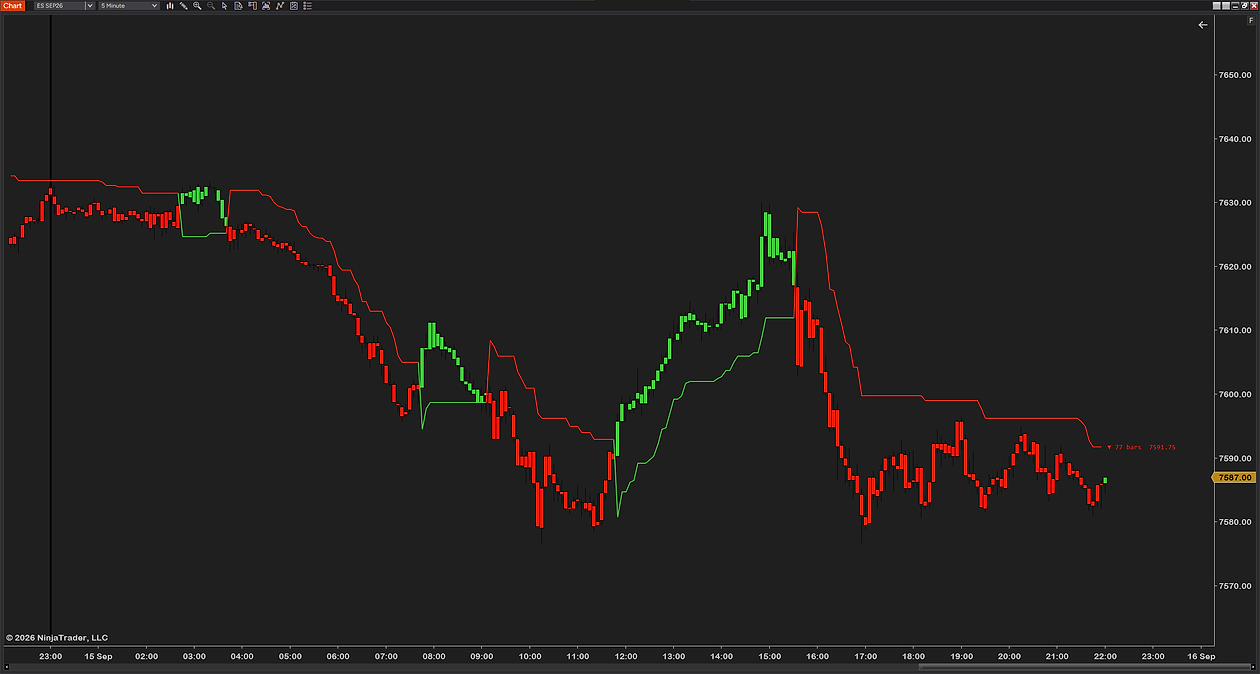
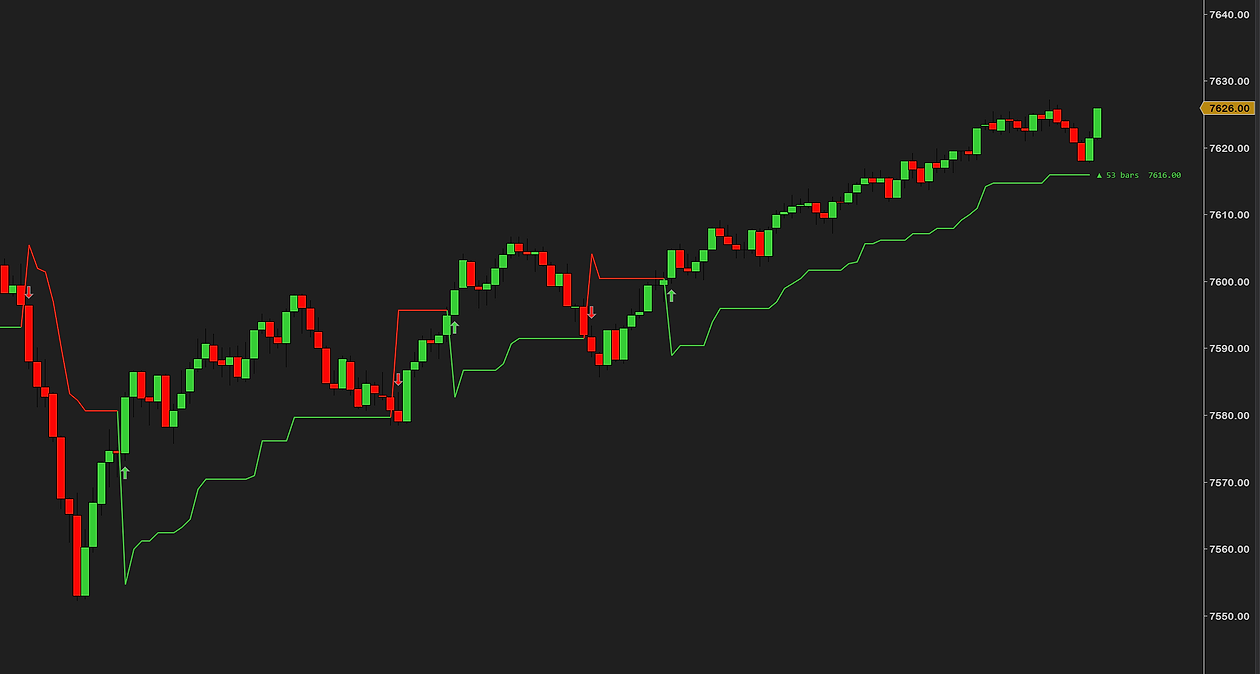
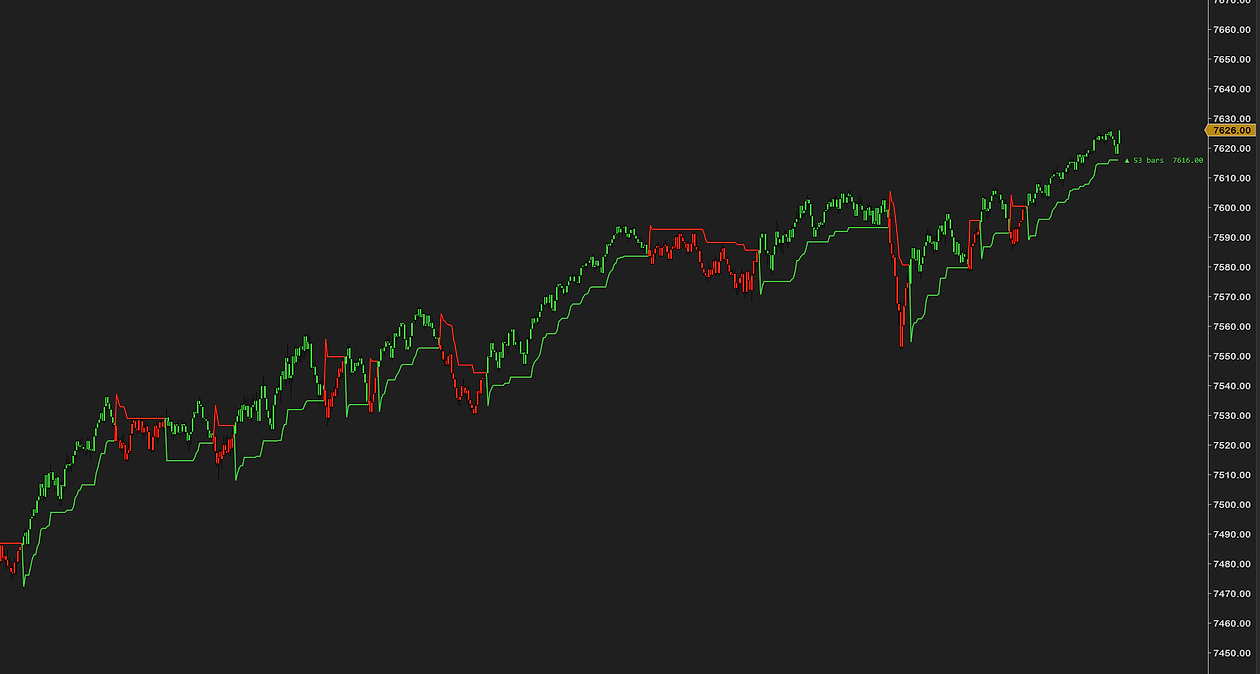
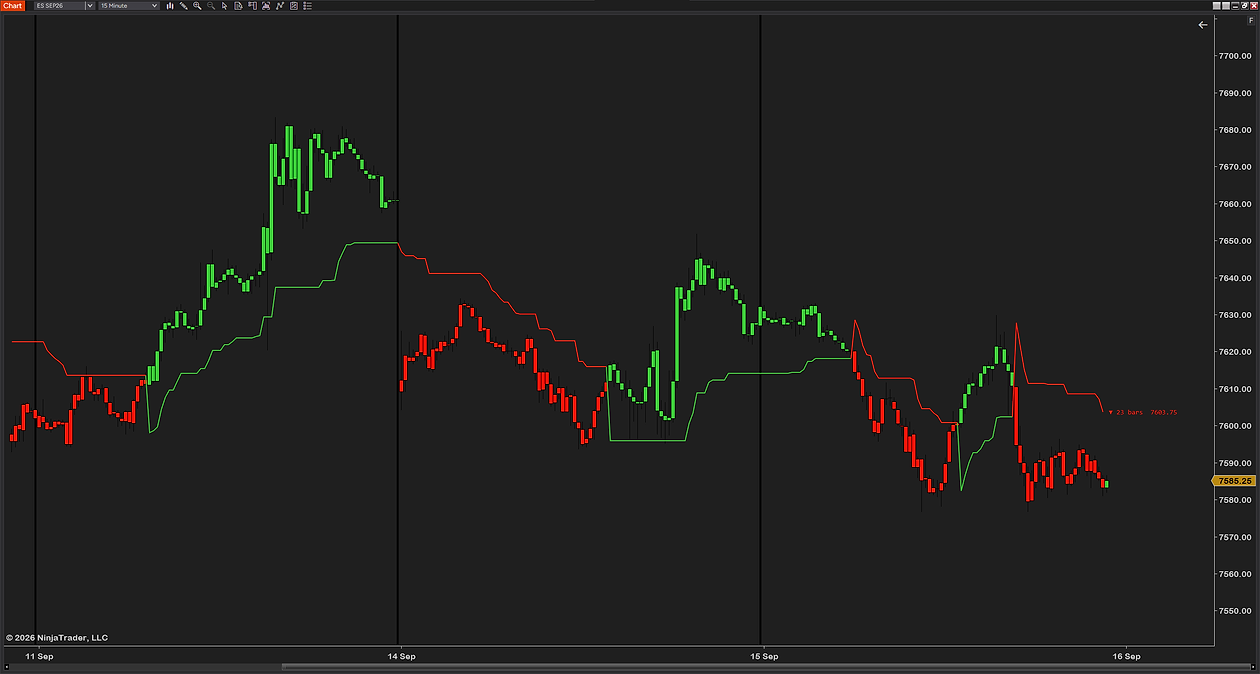
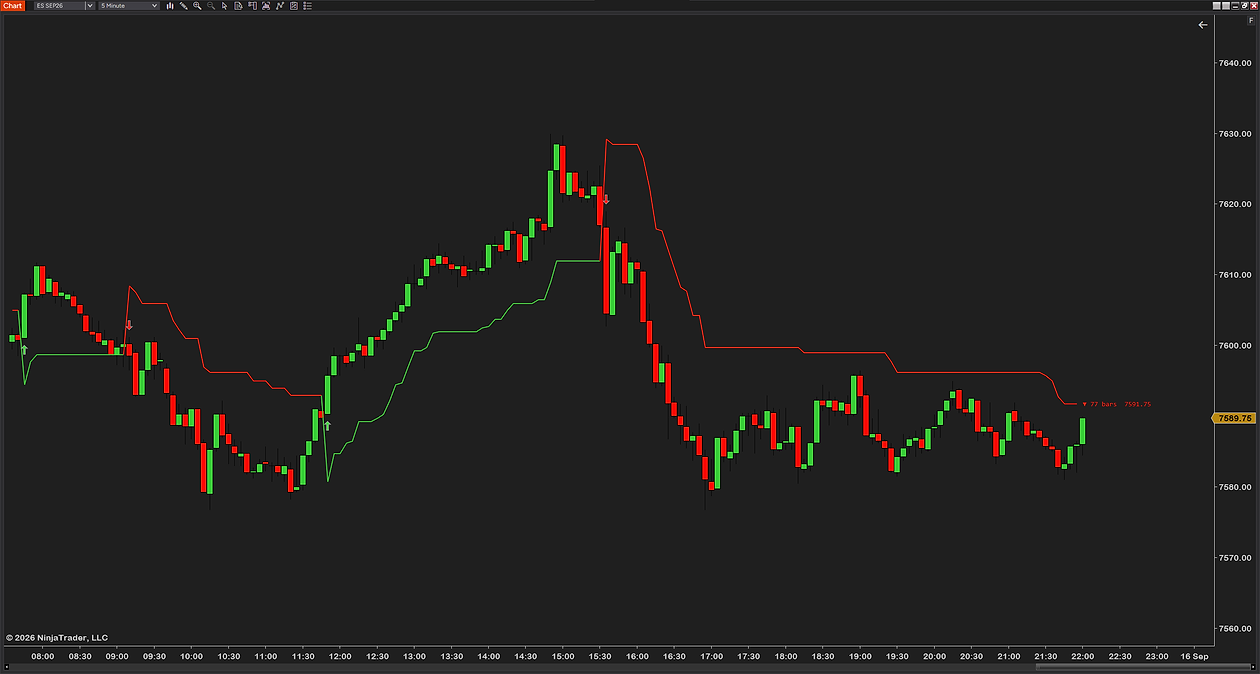
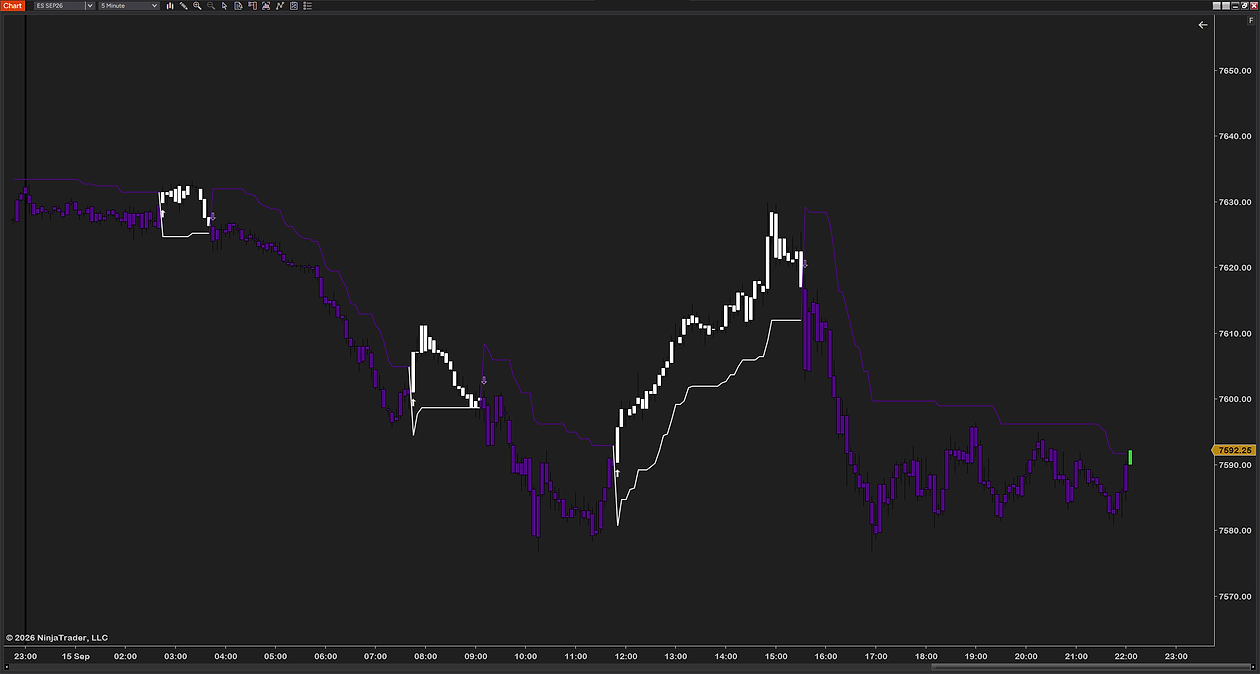
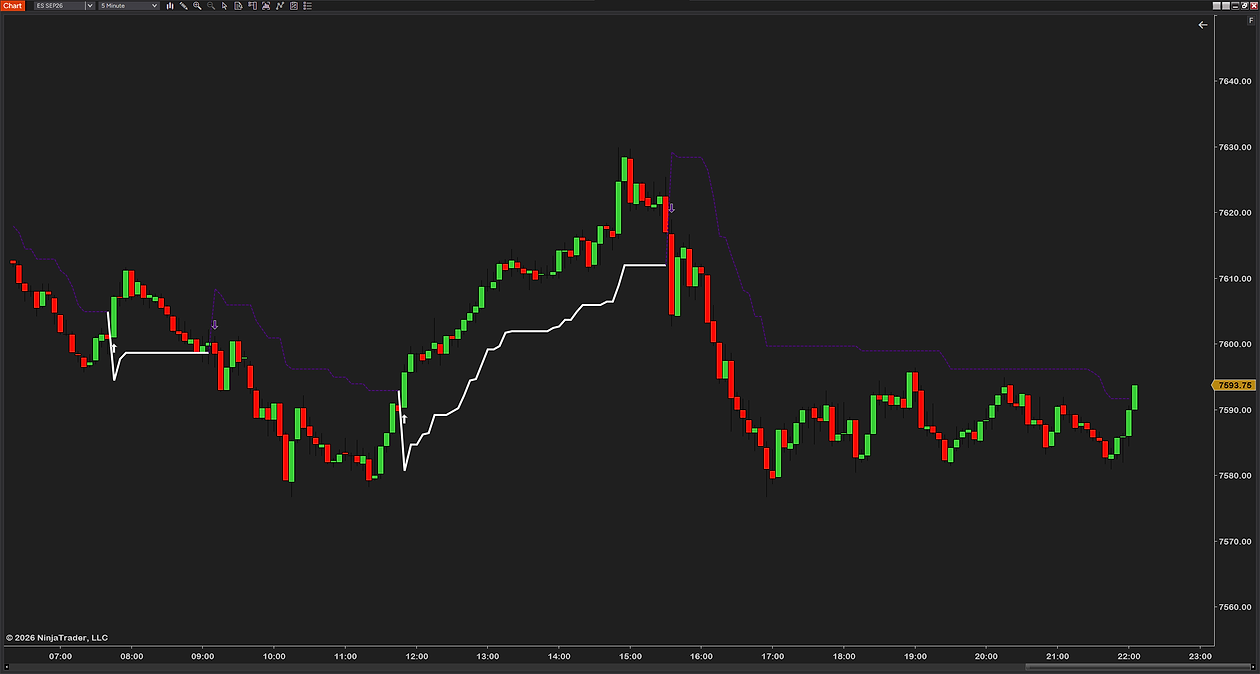
SuperTrend is a trend-following overlay built on ATR — average true range, a measure of how much an instrument typically moves. It draws one line that trails price: below it while the trend is up, above it while the trend is down. When price closes through the line, the line flips to the other side and changes color.
That is the entire output. One line, one color, one flip. Its appeal is that it turns a judgment call into something you can see from across the room, and its weakness is the same thing — a single line cannot tell you whether the market is trending or chopping, and it behaves very differently in each.

How the line is actually built
Most explanations stop at “it uses ATR”. The mechanism matters, because it explains both the flips and the repaint question.
Each bar, two candidate bands are calculated from the bar’s midpoint — the average of its high and low:
- Upper band = midpoint + (multiplier × ATR)
- Lower band = midpoint − (multiplier × ATR)
If it stopped there you would have an ordinary volatility channel, and the line would slide up and down with every bar. It does not stop there. Each band is then compared with the previous bar’s version of itself, and only allowed to move in one direction: the upper band may come down but not up, and the lower band may come up but not down — unless price closed beyond it, which resets that band.
That ratchet is what turns a channel into a trailing stop. In an uptrend the lower band creeps higher as volatility allows and never gives ground, which is why the line follows price up and holds its level through a pullback. The trend flips when the close finally crosses the active band, and the ratchet starts again on the other side.
What the two settings change
| Setting | Common default | What it changes |
|---|---|---|
| ATR period | 10 | How many bars of volatility are averaged. Shorter reacts to a change in volatility sooner and flips more often; longer is smoother and slower to notice that conditions changed |
| Multiplier | 3 | How far the line sits from price, in multiples of ATR. Smaller keeps it tight — earlier flips, more of them; larger holds it away — fewer flips, longer holds, later exits |
Of the two, the multiplier does the heavy lifting. Changing it from 3 to 2 has a far larger effect on how often the line flips than moving the ATR period by a few bars, because it directly sets the distance price must travel to trigger a flip.
One practical limit worth knowing: a multiplier below 1 is degenerate. The bands can end up inverted, and the flips that result are an artifact of the arithmetic rather than anything the market did. Stay at 1 or above.
Does SuperTrend repaint?
This question gets asked about every trend indicator and it is usually answered badly, in both directions — either a flat “no” that is not quite true, or a warning that confuses two different things. Separate them:
| Case | What happens | Is it a problem? |
|---|---|---|
| The forming bar | The line and the trend can change while the bar is still open, because the close it is measured against is still moving | No. That is the bar not being finished yet |
| A closed bar | The value is fixed. It does not move later | No — this is what you want |
| True repainting | A closed bar's value changes afterwards, so history rewrites itself | Yes. Back-testing becomes meaningless |
So a correctly built SuperTrend does not repaint in the sense that matters. What it does do — and what catches people out — is show a flip on the live bar that then un-flips before the bar closes, because price came back through the line. Nothing was rewritten; the flip was never confirmed.
The practical consequence is a rule rather than a worry: treat a flip as real only once the bar has closed. If you act on an intrabar flip you are trading a signal the indicator has not finished making, and no amount of code quality changes that.
It is worth checking how an indicator handles this before you trust it. A tool that confirms on bar close gives you a signal you can back-test and a signal you can trade, and they are the same signal. One that flips freely intrabar gives you two different things wearing the same color.

Choosing settings for how you trade
There is no correct setting, only a trade-off between catching turns early and being whipsawed in chop. Some sensible starting points:
- Scalping intraday futures. A shorter ATR period and a multiplier nearer 2 gives an early flip. Expect more of them and expect to filter the ones that happen inside a range.
- Intraday swing within the session. The common 10 and 3 is common for a reason — it holds through ordinary pullbacks on index futures without giving back too much at the turn.
- Multi-day holding. A larger multiplier, 4 or above. You accept a later exit in exchange for not being shaken out by a single volatile session.
Whatever you pick, pick it once and leave it. Tuning the multiplier after a bad flip is fitting the tool to the last trade, and the next market will not cooperate.
Three ways traders use it
- As a trend filter. Only take longs while the line is below price, only shorts while it is above. It does not find entries; it rules out the ones facing the wrong way.
- As a trailing stop. The ratchet described above is exactly a trailing stop, which is what SuperTrend really is; our free ATR trailing stop indicator for NinjaTrader 8 draws exactly this line. In an uptrend, trail behind the rising line and accept the exit when price closes through it.
- For pullback entries. In an established trend, a pullback toward the line offers an entry with an obvious invalidation point just beyond it — and because the line does not retreat, that stop distance is knowable in advance.
The weakness: sideways markets
SuperTrend has one failure mode and it is worth naming plainly. In a range, price crosses back and forth through a line that sits in the middle of the noise, and every crossing is a flip. A morning of that produces a series of losing signals in both directions.
Nothing in the formula can tell a range from a trend, because it only measures volatility and distance. The usual answers are to widen the multiplier so the line sits outside the noise, to add a separate measure of whether the market is trending — an ADX filter is the common choice, suppressing flips while ADX is below a threshold — or to simply not trade the tool in conditions it is not built for.
Does NinjaTrader 8 have one built in?
No. Checked against the platform rather than assumed: there is no SuperTrend among NinjaTrader’s built-in indicators, none in its Market Analyzer columns, chart styles, bar types or drawing tools, and no SuperTrend string anywhere in the application’s own assemblies. You add it as a NinjaScript indicator.
What to look for when you do: flips confirmed on bar close, an optional filter for chop, and clear marking of where a flip happened so you can review it afterwards rather than squint at a color change. Our own free SuperTrend indicator does those and is free to download.
How to install it
- Download the free SuperTrend indicator — keep it zipped.
- Open the Control Center → Tools → Import → NinjaScript Add-On… and select the .zip. NinjaTrader documents the process in its import guide, and we walk through every step, error message and the update rule on our installation page.
- On a chart, right-click → Indicators…, add it, and set the ATR period and multiplier.
- Watch it for a few sessions before you trade it. You are looking for how often it flips on your instrument and timeframe, which is the only way to know whether your multiplier is right.
Common questions
Does the SuperTrend indicator repaint?
A correctly built one does not repaint in the way that matters: once a bar closes, its value is fixed and does not change later. What does change is the line on the bar still forming, because the close it is measured against is still moving — so a flip can appear and disappear within a bar. Treat a flip as real only after the bar closes.
What are the best SuperTrend settings?
There is no best, only a trade-off. An ATR period of 10 with a multiplier of 3 is the common starting point. A smaller multiplier flips earlier and more often; a larger one holds trends longer and exits later. The multiplier matters far more than the ATR period.
How is SuperTrend calculated?
From the bar's midpoint — the average of its high and low — plus and minus the multiplier times ATR. Those bands are then only allowed to move in one direction: the upper band can fall but not rise, the lower can rise but not fall, unless price closes beyond it and resets that side. That ratchet is what makes it a trailing line rather than a channel.
Does NinjaTrader 8 include SuperTrend?
No. There is no SuperTrend among NinjaTrader's built-in indicators, Market Analyzer columns, chart styles, bar types or drawing tools, and no SuperTrend string in the application's own assemblies. It has to be added as a NinjaScript indicator.
Why does SuperTrend keep flipping?
Because the market is ranging. Price crosses back and forth through a line sitting inside the noise, and every crossing is a flip. Widening the multiplier moves the line outside the range, and an ADX filter can suppress flips while the market is not trending — but no setting turns a range into a trend.
Can SuperTrend be used as a trailing stop?
Yes, and that is arguably what it is. The bands only move in the favorable direction, so the line behaves exactly like a volatility-based trailing stop: it follows price in a trend, holds its level through a pullback, and ends the trade when price closes through it.
What multiplier is too low?
Below 1. At that point the bands can invert and the flips you see are an artifact of the arithmetic rather than a market event. Keep the multiplier at 1 or above.
Related guides
- Reading trend across timeframes — useful for deciding whether a SuperTrend flip has anything behind it.
- EMA clouds and moving-average ribbons — the other common way of putting trend on a chart as color.
- How to add VWAP — where price sits against the day's average, which pairs with a trend line.
The honest part
SuperTrend does not predict anything. It is a rule for describing what price has already done, drawn so you can see it quickly — and in a trend that is genuinely useful, while in a range it will hand you one losing signal after another with total confidence. Knowing which of those you are in is the part the indicator cannot do for you, and it is the part that decides whether it helps.