Back to Indicators
Buyer guarantee
Lifetime access Updates when needed Email support Instant download Secure checkout
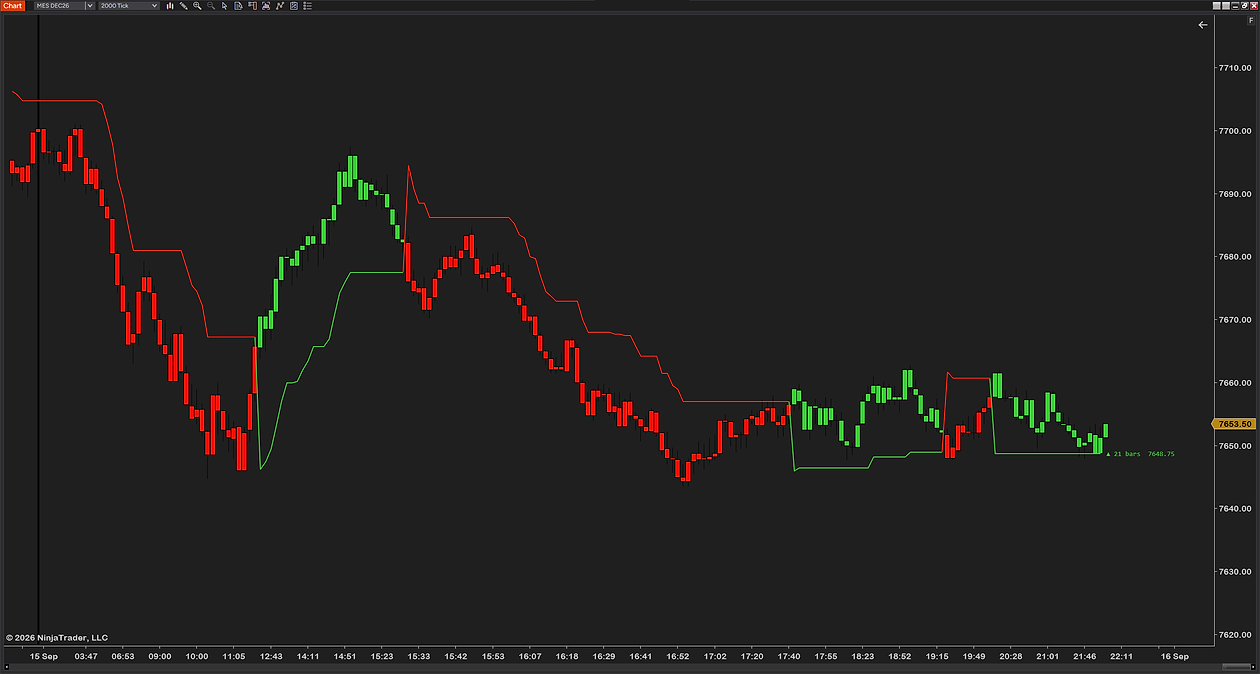
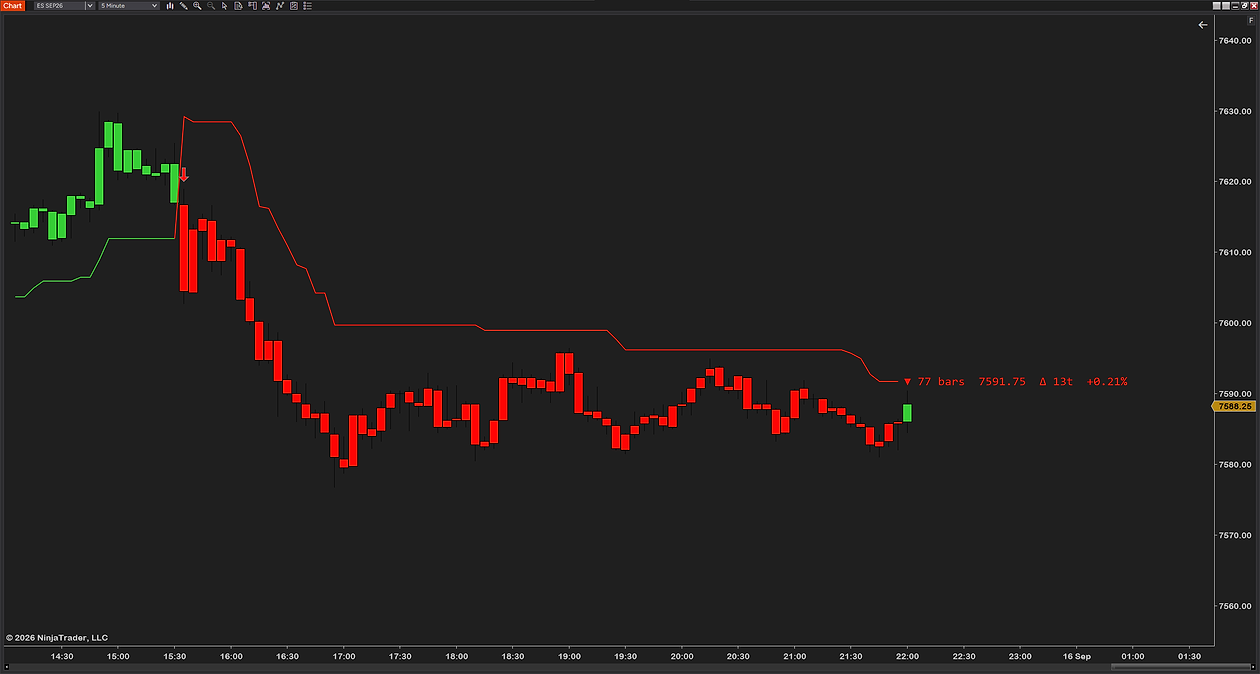
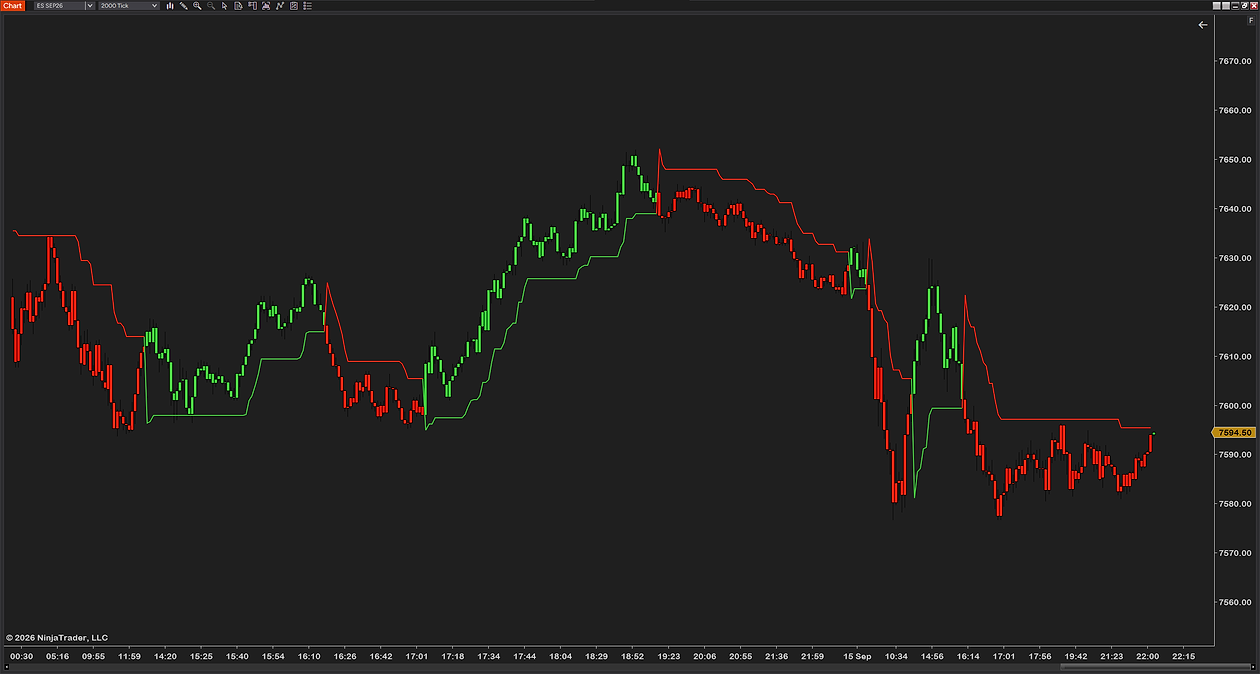
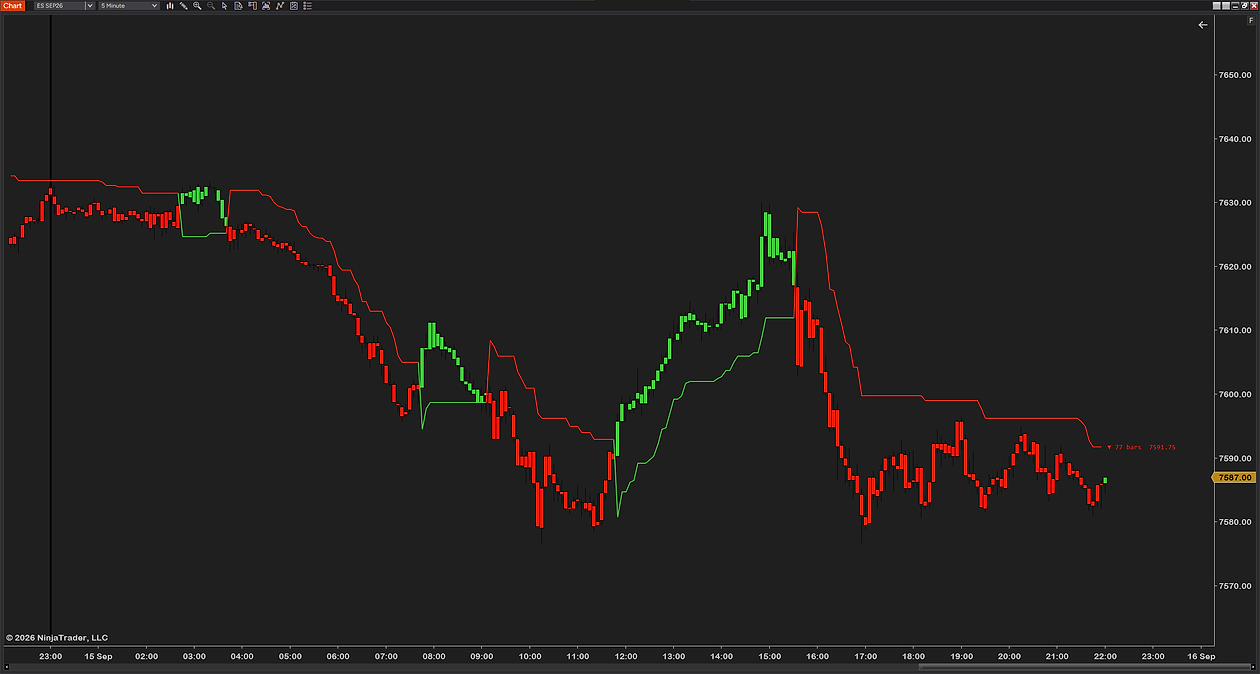
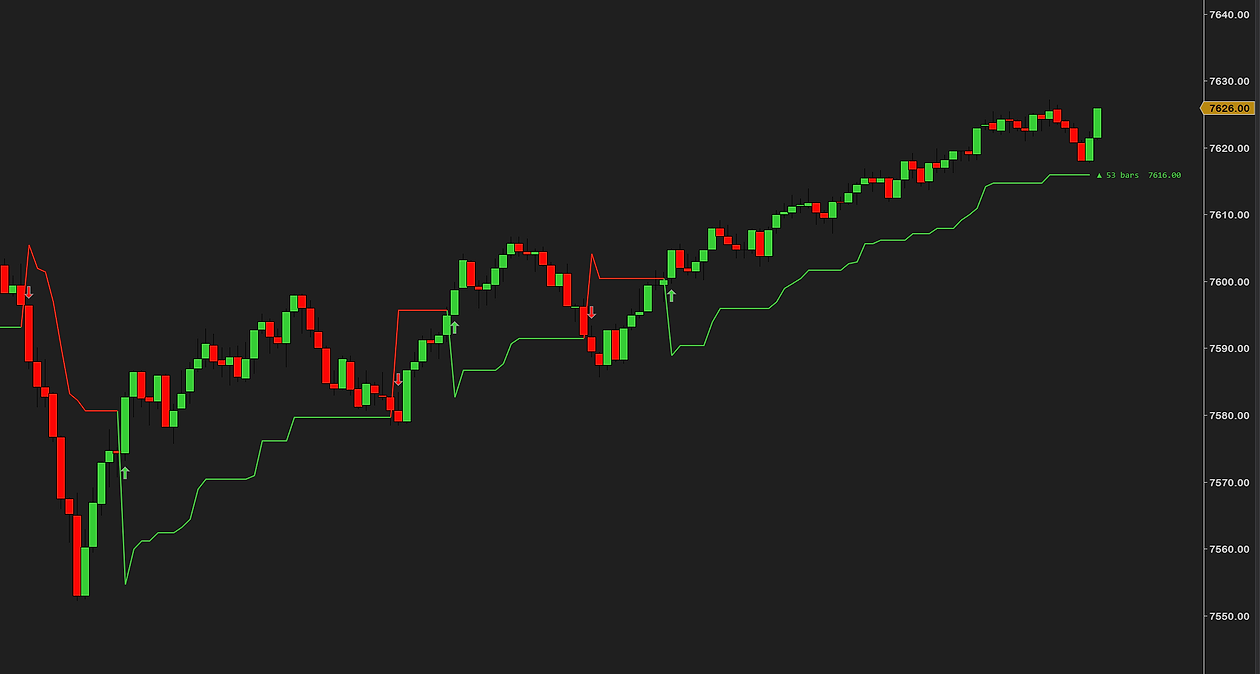
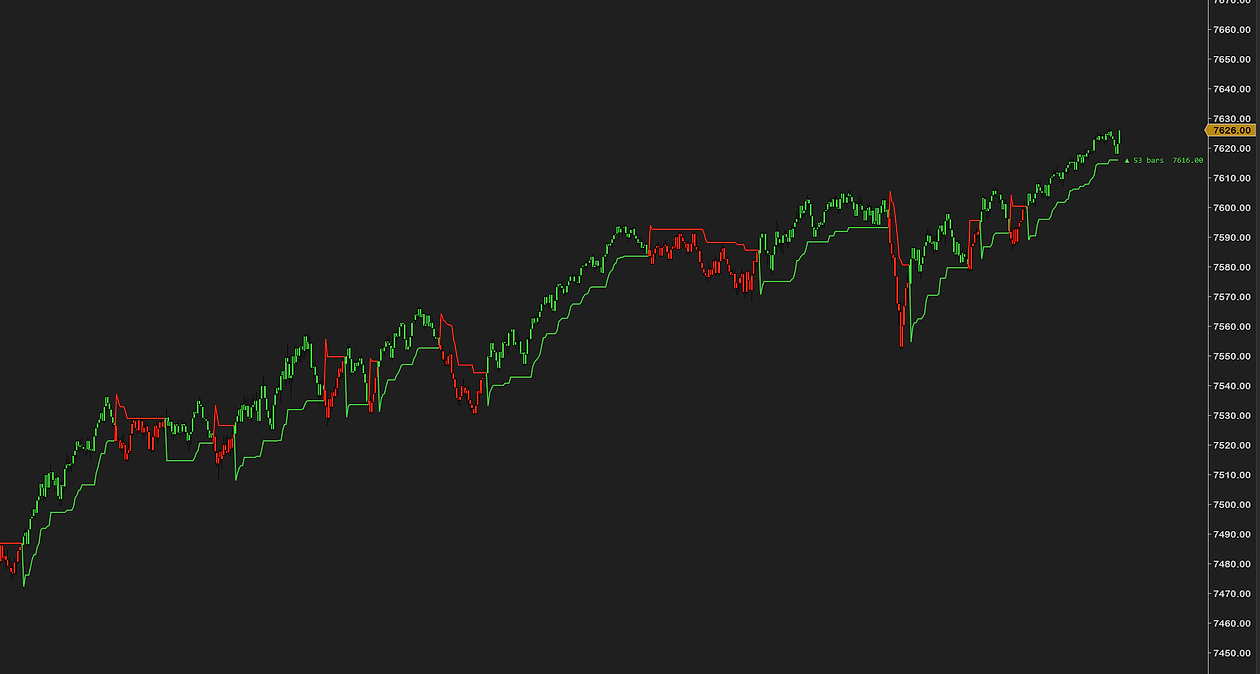
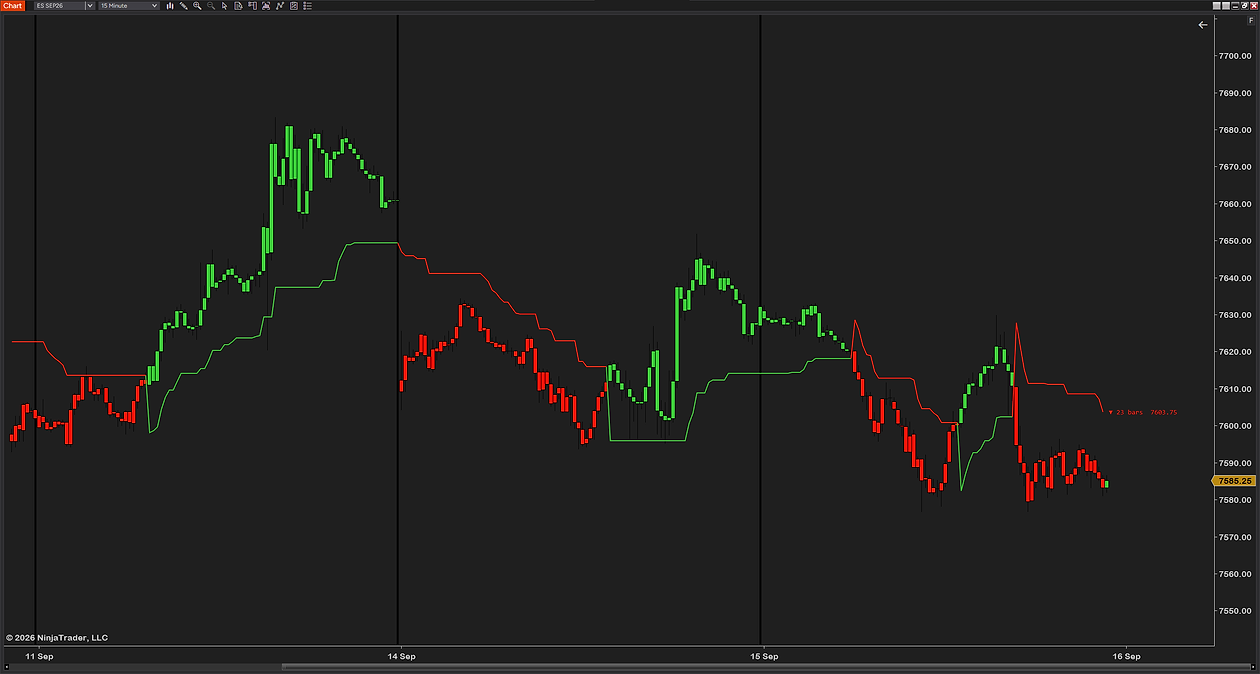
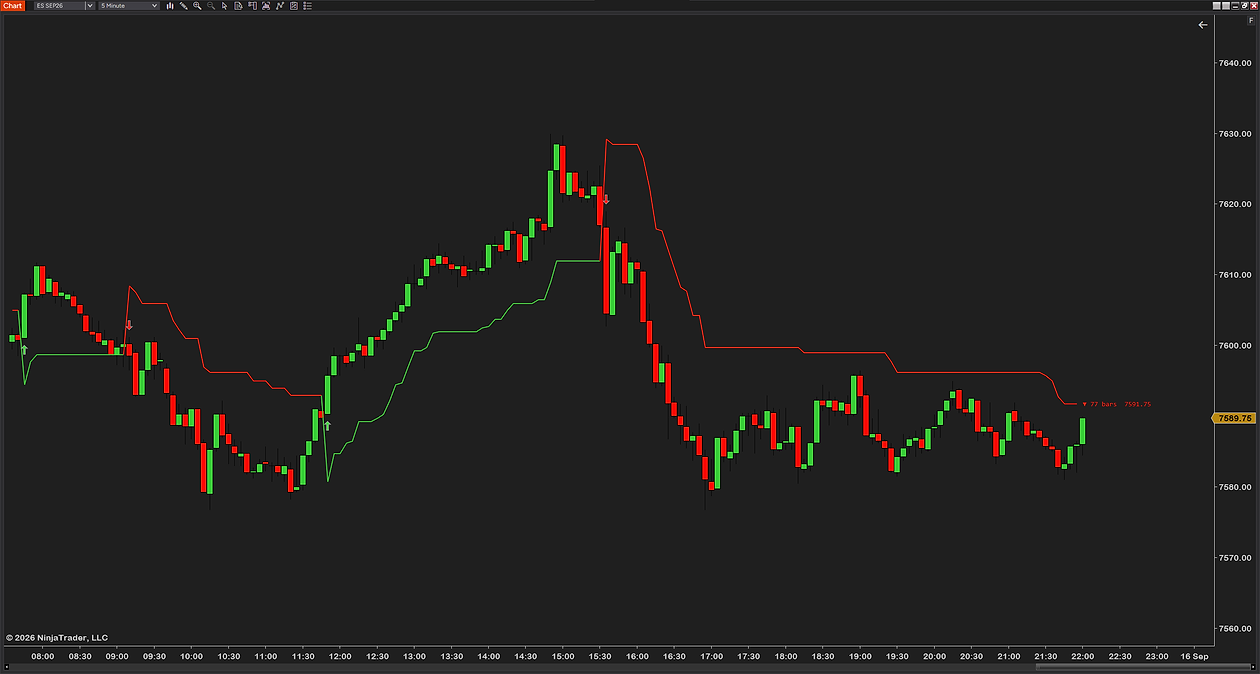
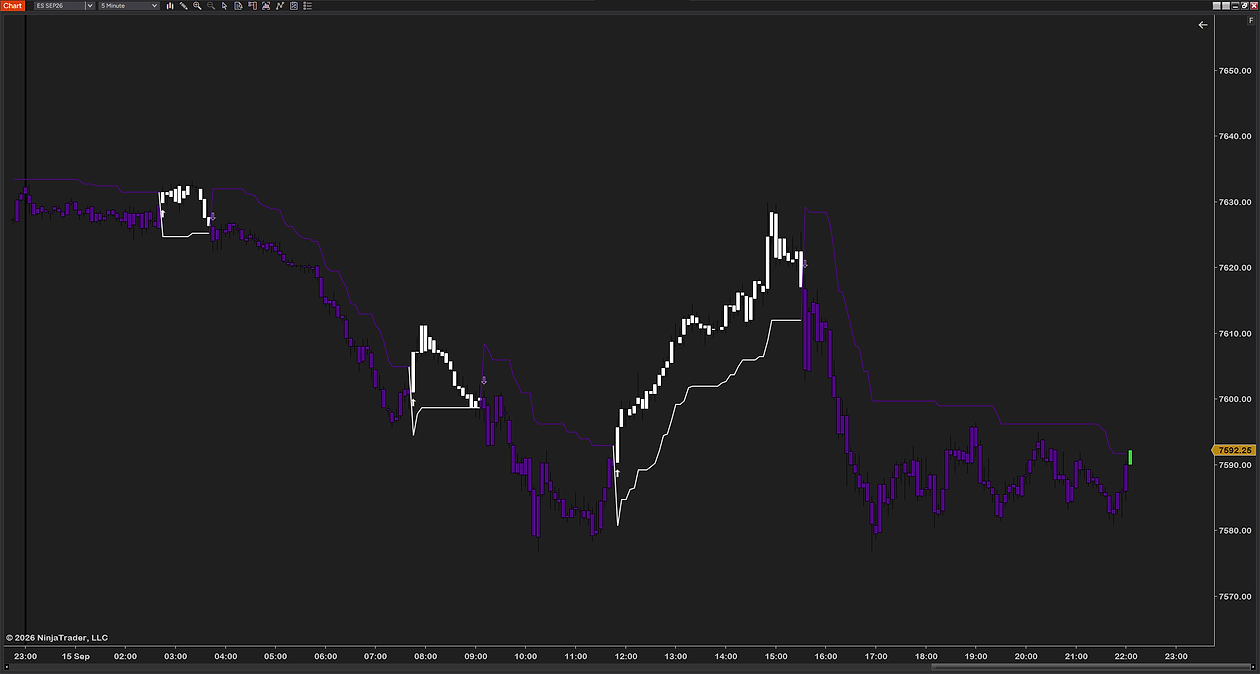
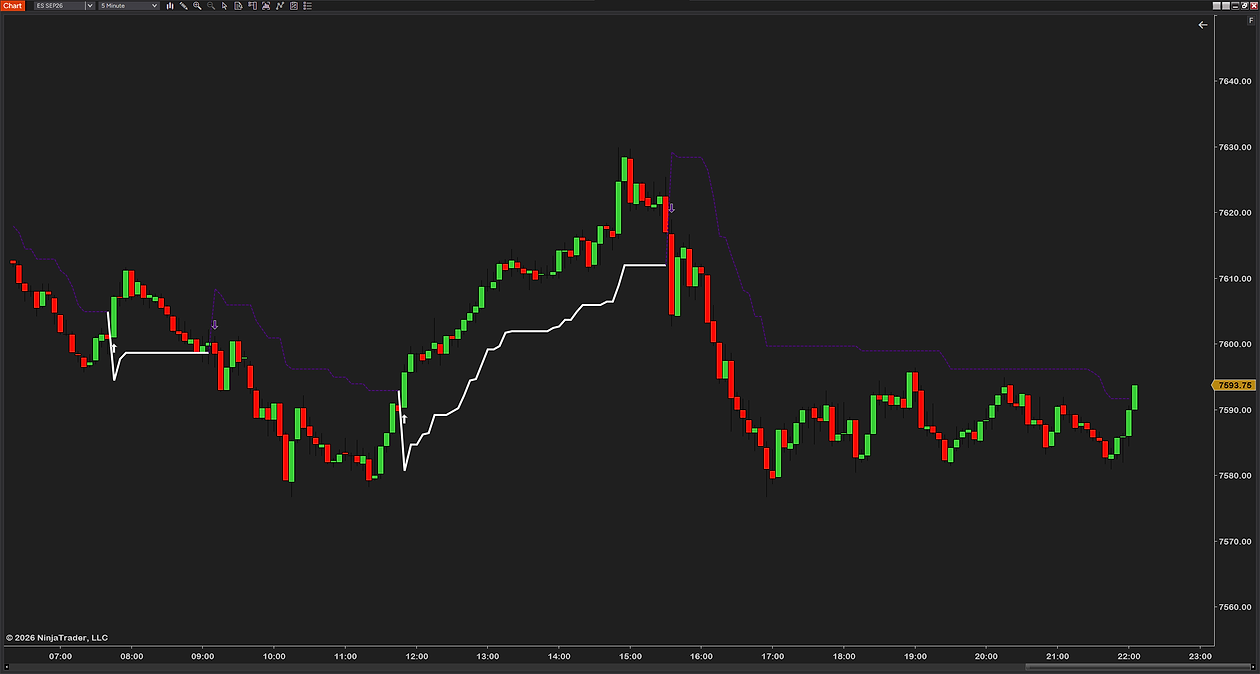
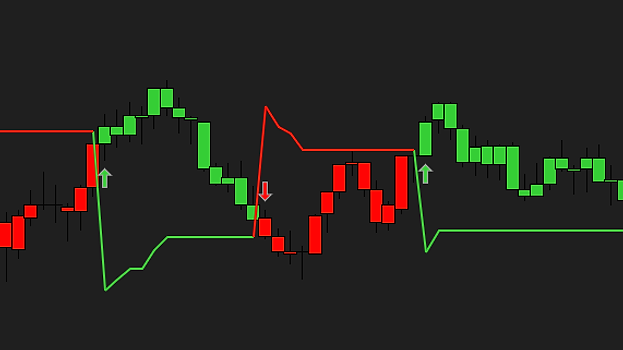
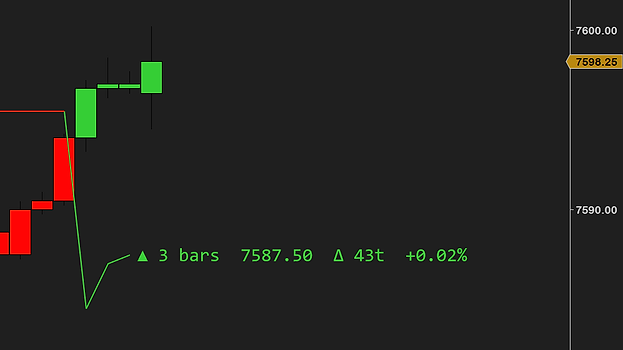
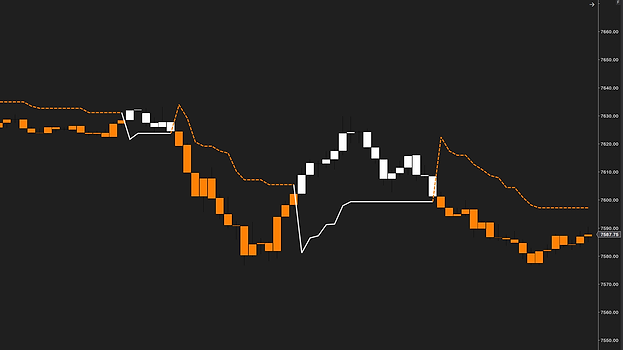
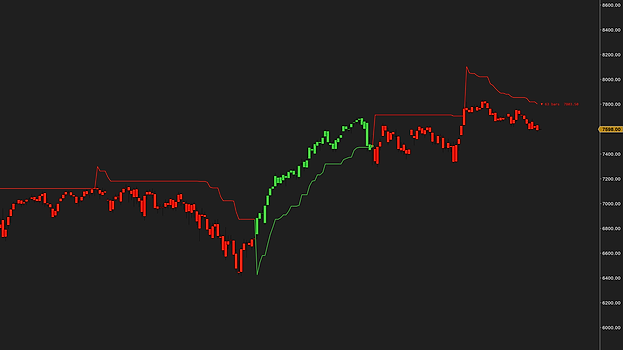
SuperTrend — color-coded ATR trend line with flip arrows on a NinjaTrader 8 chart SuperTrend — bull and bear line colors flipping with the trend SuperTrend — trend line with paint bars and on-chart label SuperTrend — ATR trend line adapting through a volatile session
1 / 4

SuperTrend

Free Download
SuperTrend version 1.0 — last updated 26 Jun 2026
SuperTrend — color-coded trend line SuperTrend — flip arrows on trend change SuperTrend — painted bars by trend direction SuperTrend — on-chart label with trend stats
ATR trendColor-coded line, no repaint
Flip arrowsMarks every trend change
Paint barsBars colored by direction
ADX filterOptionally ignore weak trends
Trend engine
Method
ATR-based SuperTrend
ATR period
Set the lookback
Multiplier
Tune sensitivity
Repaint
Never — flips are final on close
Visuals
Trend line
Separate bull & bear colors
Paint bars
Color bars by direction
Flip arrows
Marked on each change, with offset
Compatibility & delivery
Chart types
Tick · min · volume · range · Renko
Instruments
Any — no volume required
Platform
NinjaTrader 8
License
Free — yours to keep
Version
1.0 — 26 Jun 2026
On-chart label
Content
Bar count · price · distance to line
Move size
% since the last flip
Font
Family & size
Offset
Nudge off the bar
ADX filter
Filter
Optionally ignore weak trends
Period
ADX lookback
Threshold
Minimum strength to trade
Alerts
Flip alerts
Fire on every trend change
Sound
Your own alert file
Cooldown
Adjustable (seconds)
01 · What is SuperTrend?

SuperTrend is one of the cleanest trend tools there is: a single line that sits below price in an uptrend and above it in a downtrend, flipping sides when the trend changes. One glance tells you which way the market is leaning.

It's built on ATR — average true range — so it adapts to volatility automatically, sitting wider in fast markets and tighter in quiet ones. Color-coded, with a flip arrow on every change.

02 · What it tells you

When the line is green and below price, the trend is up — you look for longs. When it flips red and above price, the trend is down. The flip itself is the signal: a clean, objective marker of when the trend changed, with no repainting after the bar closes.

The optional ADX filter keeps you out of weak, choppy trends — only flagging flips when there's real directional strength behind them.

03 · Why we built it

There are a hundred SuperTrend clones, and most repaint, lag, or give you no control. We wanted one that's honest — flips final on close — with the ADX filter, flip alerts, paint bars and a label that tells you how far the move has run, all fully tunable.

And honesty cuts both ways: no trend tool wins in chop — that's exactly what the ADX filter is for. Every color, the ATR settings, the filter and alerts are yours to set. Free, lean, no bloat, no upsell — built by a working futures trader.

04 · How traders use it
The trend filter

The simplest use: only take trades in the line's direction. Green below price, look for longs; red above it, look for shorts. It keeps you from fighting the move all session.

The flip entry

Enter when the line flips — final on close, marked with an arrow — with your stop tucked behind the new line. Add the ADX filter so only flips with real strength behind them count.

The trailing line

Already in a winner? The line trails the move at an ATR-adjusted distance — a ready-made trailing reference that gives the trade room in volatility and tightens up when things go quiet.

The chop screen

ADX below your threshold means no real trend — flips stay quiet and you stay patient. When ADX picks up and a flip fires, it means something.

None of these are trade signals — the flip marks a trend change, not a guarantee. The entries, the stops and the discipline are still yours.

New to SuperTrend? Read our full guide — How to use the SuperTrend indicator →

SuperTrend is built to be set up once and left alone. The ATR settings, colors, filter, label and alerts are all yours to control — nothing is hard-coded. Below is the actual settings panel: numbered groups, plain-English names, no cryptic abbreviations.

SuperTrend settings — ATR period, multiplier, line colors and paint bars
SuperTrend settings — label, ADX filter and flip alerts
Install in 3 steps
1

After checkout, download the SuperTrend .zip — it's on the confirmation page, and in your email receipt.

2

In NinjaTrader 8: Tools → Import → NinjaScript Add-On, then select the .zip.

3

Right-click any chart → Indicators, add SuperTrend, and tune the ATR settings to taste.

The file
File
SuperTrend_v1.0.zip
Size
179 KB — lean, no bloat
Format
NinjaScript add-on (.zip import)
Delivery
Instant — checkout page + email
Requirements

NinjaTrader 8 (latest version recommended)

Any instrument — no volume data required

Every chart type: tick, minute, volume, range and Renko

Any data provider — Rithmic, Kinetick, and more

What you get

Free forever — no catch, no upsell

Free updates — always current

Step-by-step installation guide

Email support from a working trader

Most traders are up and running in under a minute. Stuck on anything? Email us — we're traders too, and we answer.

SuperTrend on a live chart — the trend line, flips, paint bars and the ADX filter in action.

Pairs well with

Complete your setup

Get SuperTrend

A clean, no-repaint ATR trend line with flips, an ADX filter and alerts — free, and built by a working futures trader.

Free Download
Free forever · Free updates · Instant download · No card needed

Futures trading involves substantial risk of loss and is not suitable for every investor. SuperTrend is a charting and decision-support tool only — it is not a trade signal, recommendation, or financial advice. Past performance is not indicative of future results.