ProBarCounter

Free
Free download NinjaTrader 8 Indicator Every bar in the session numbered, new highs and lows flagged, inside and outside bars marked
No machine ID No license server No repaint Instant download Free updates Verified on NinjaTrader 8.1.8.2 · 16 Sep 2026
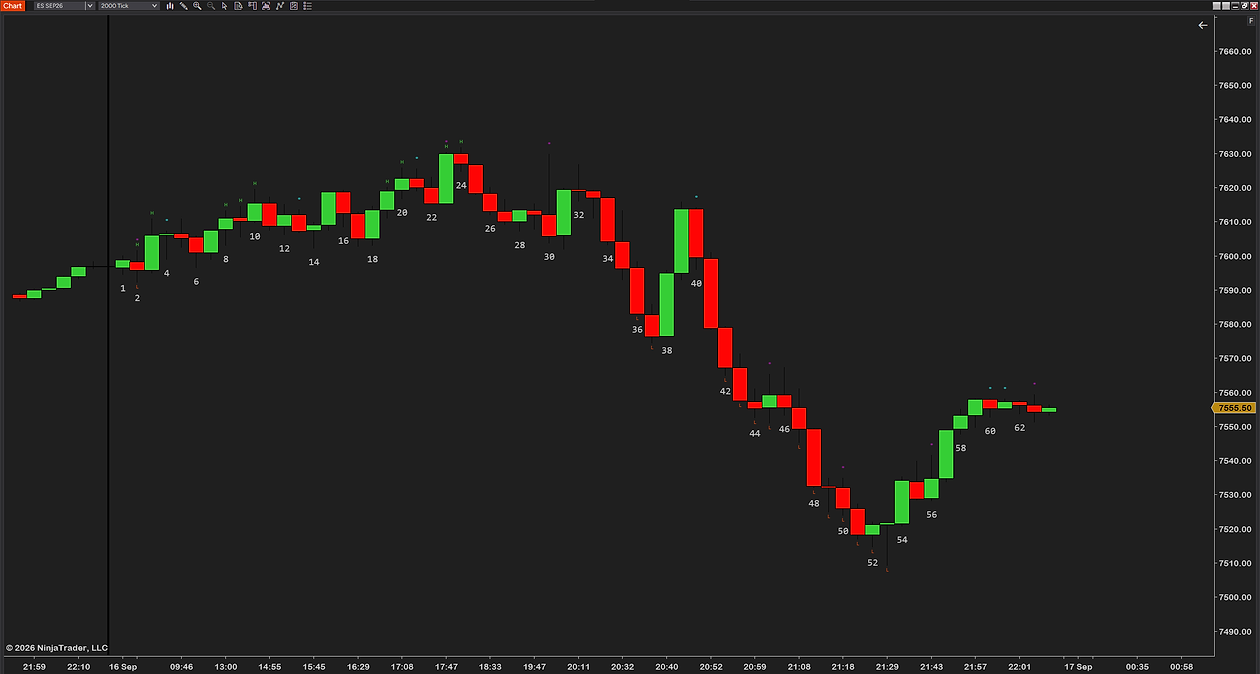
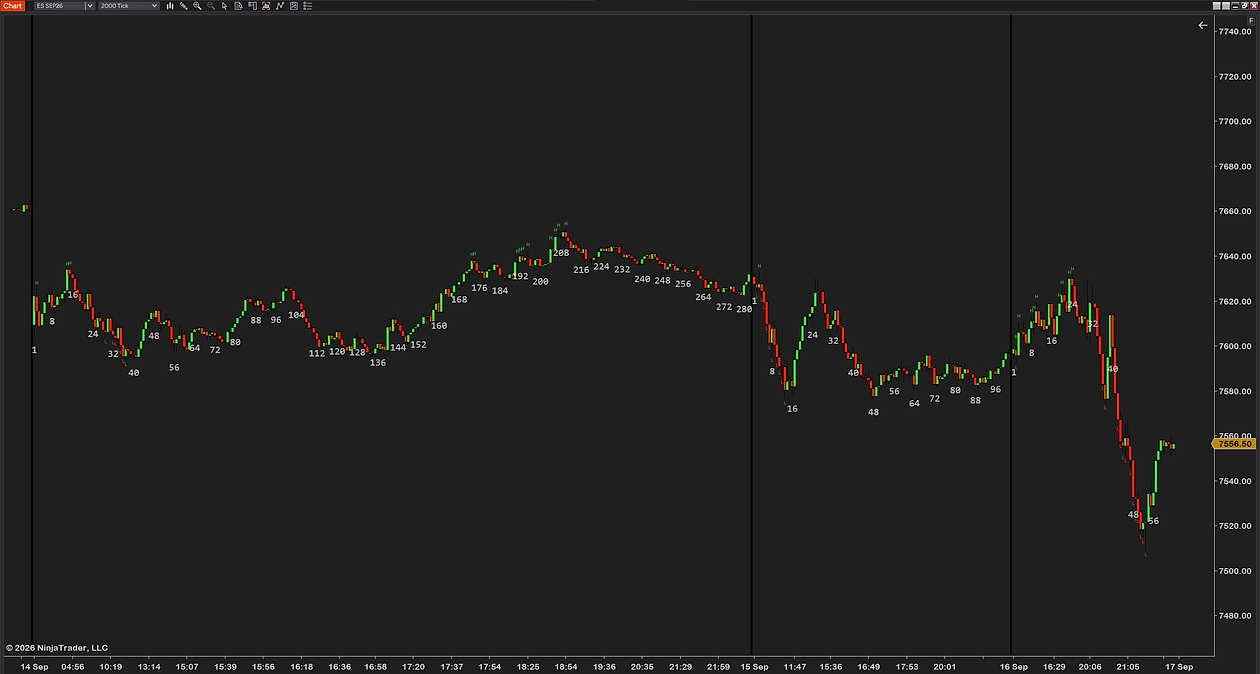
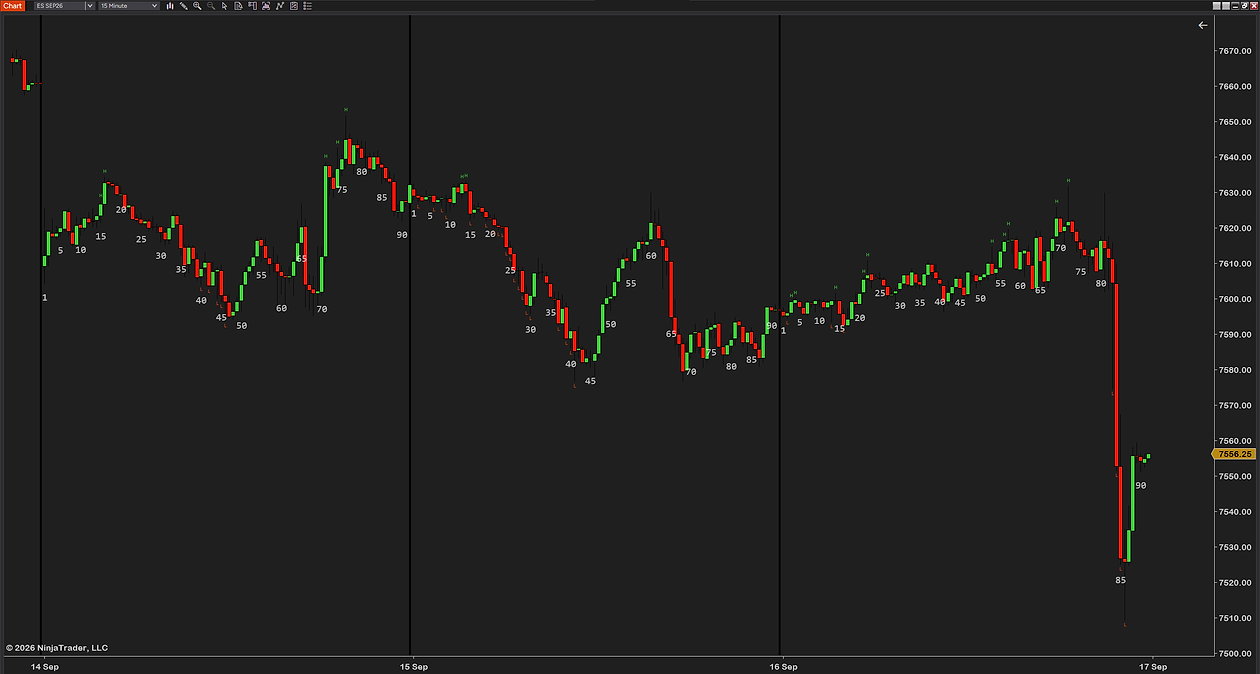
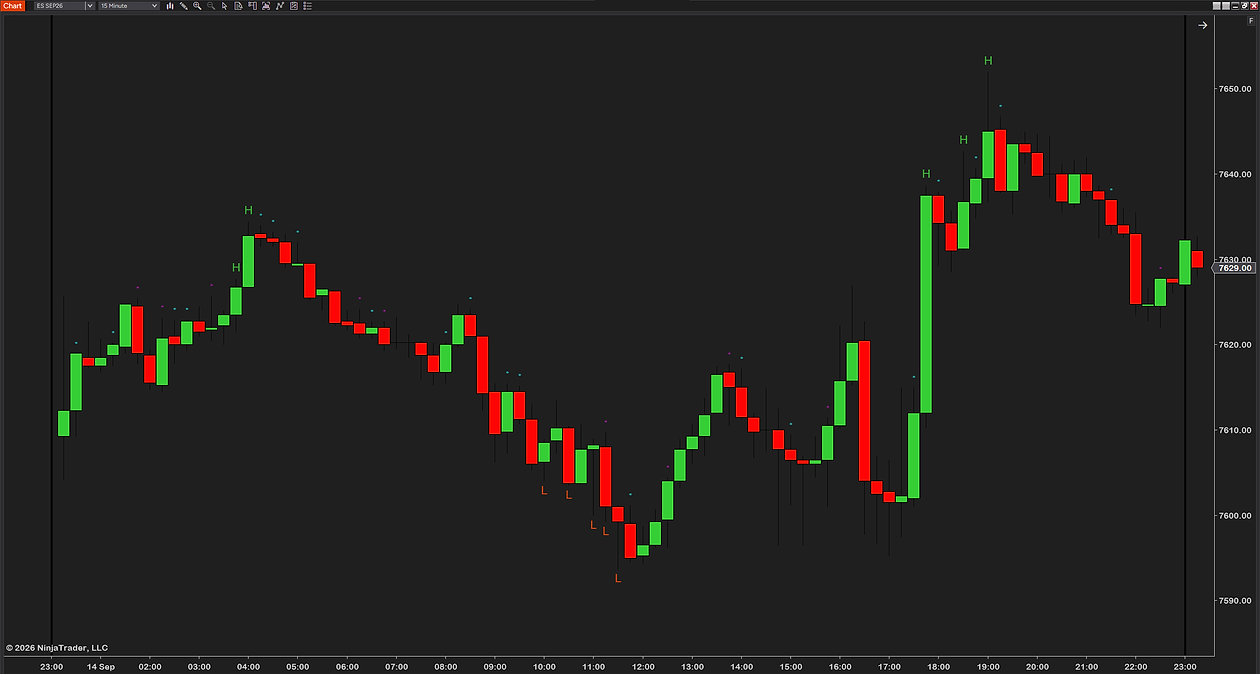
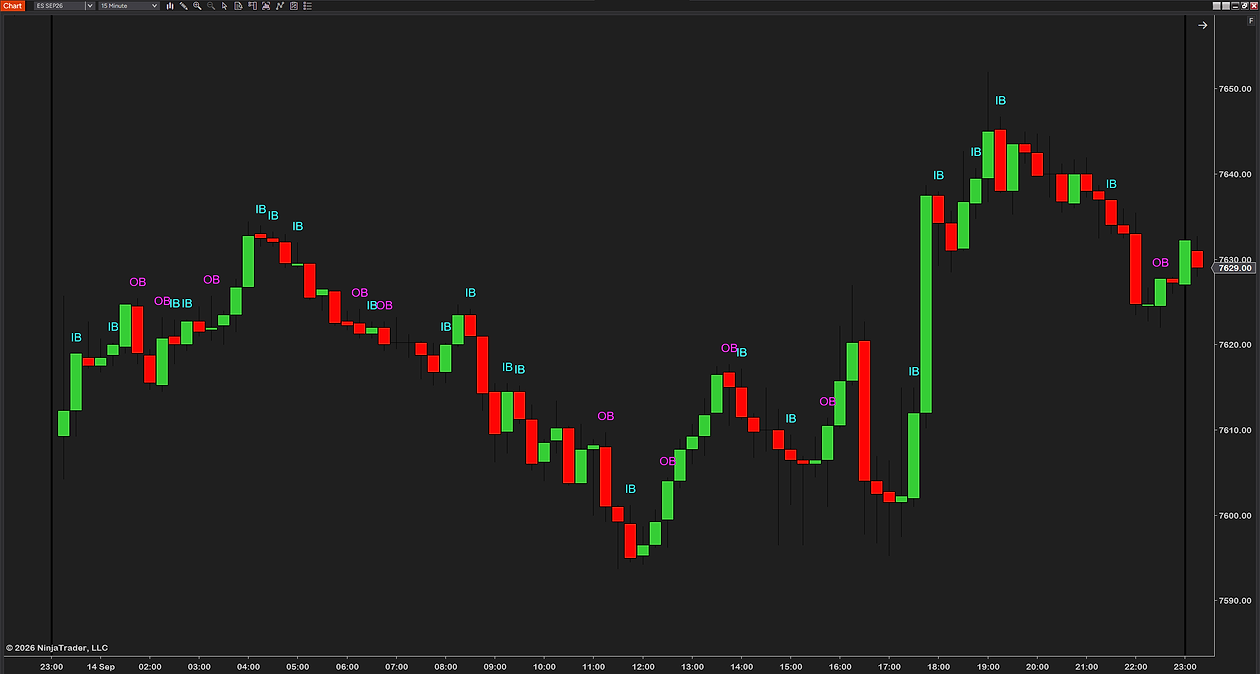
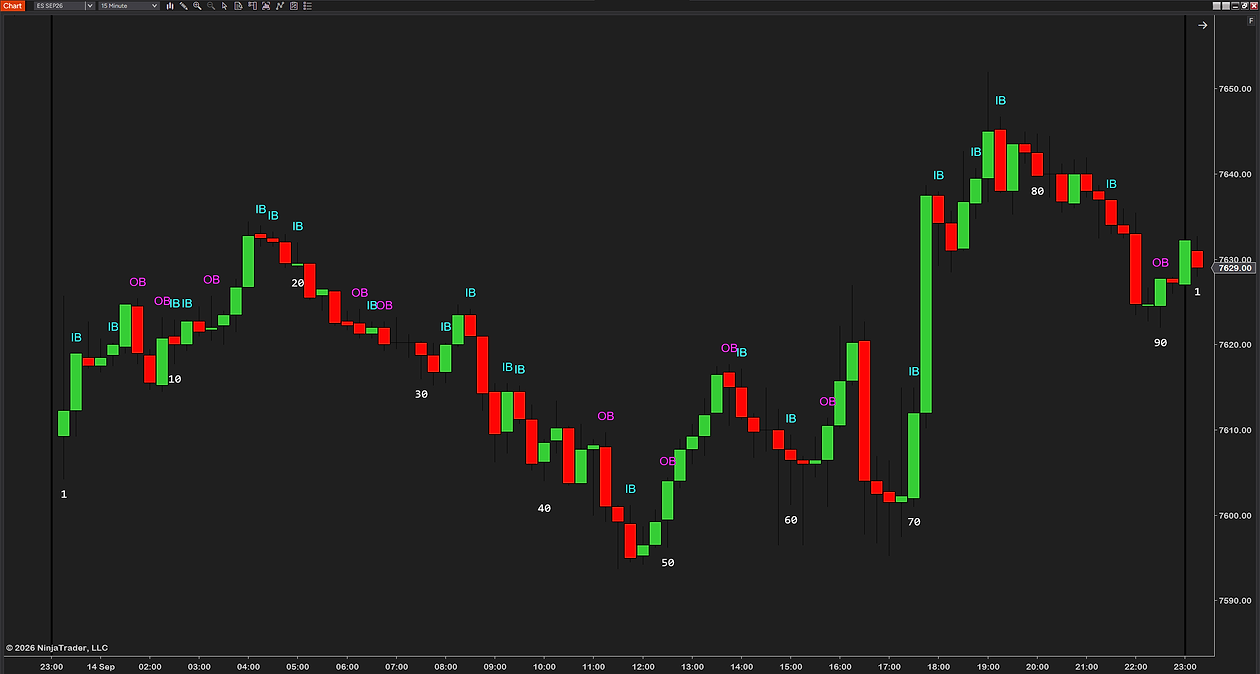
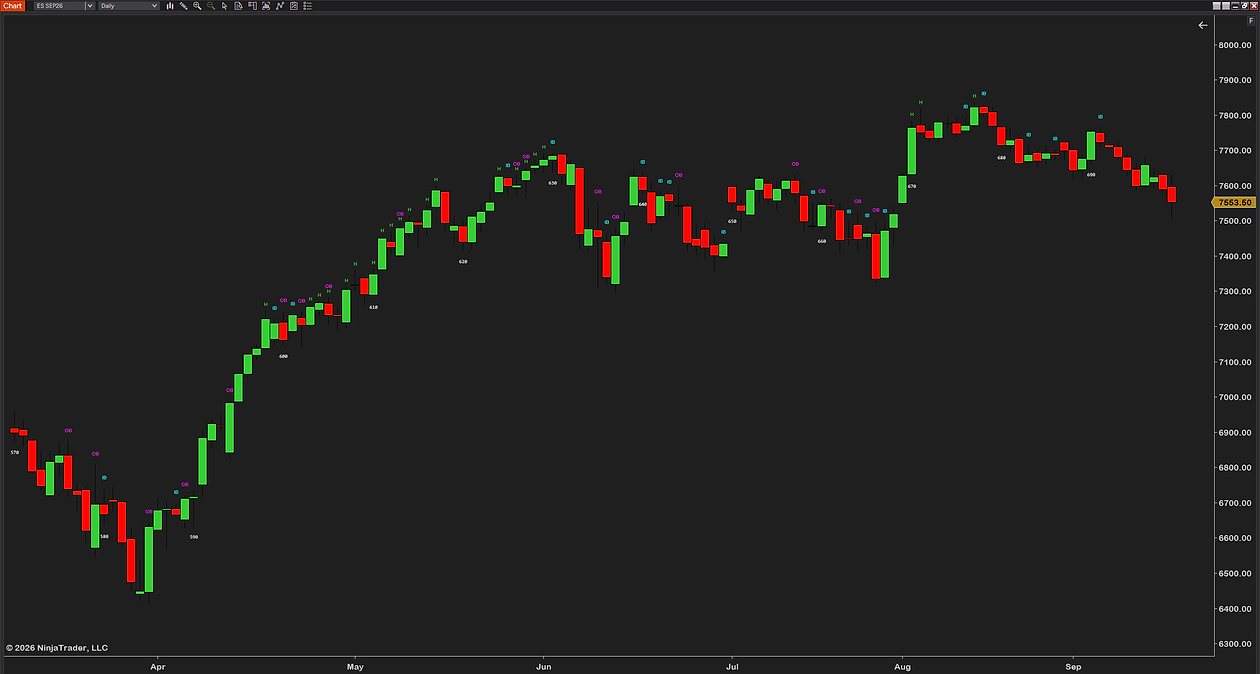
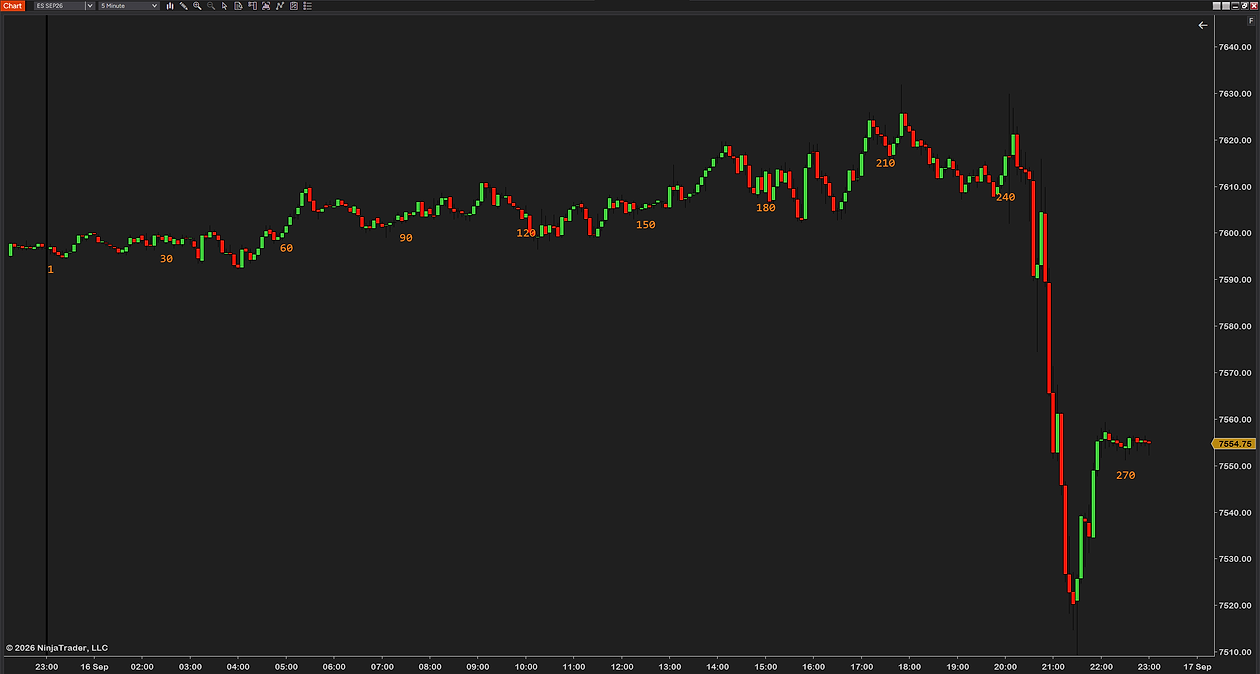
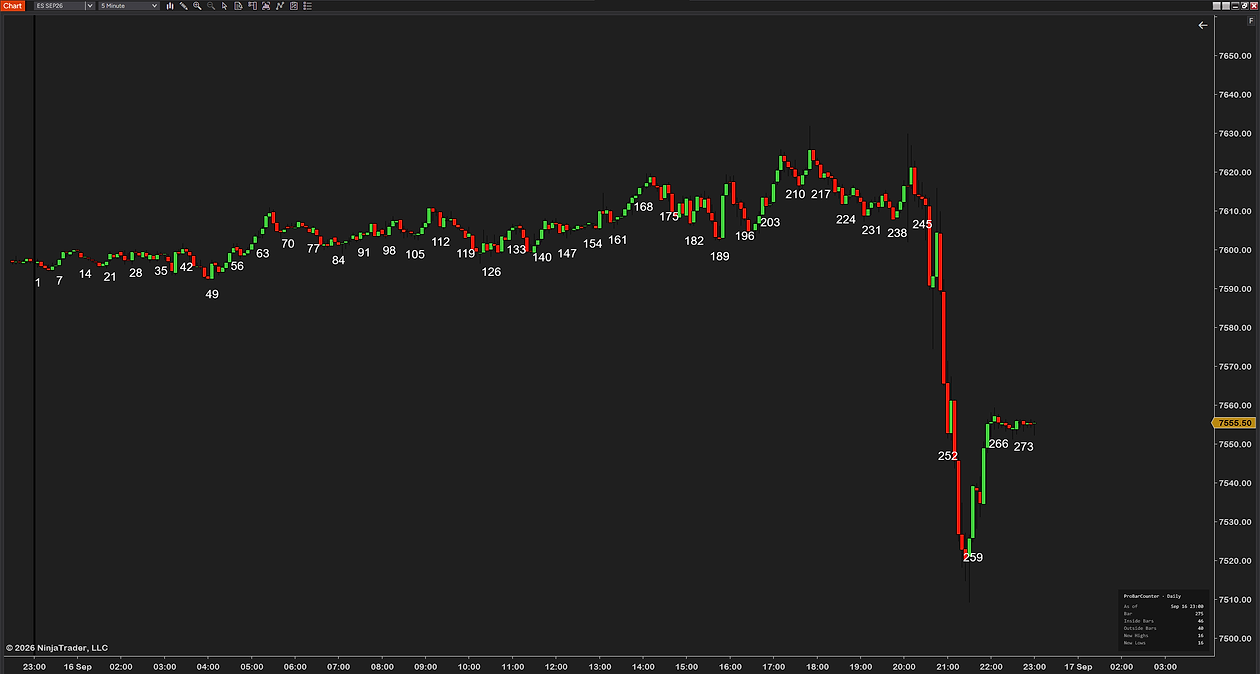
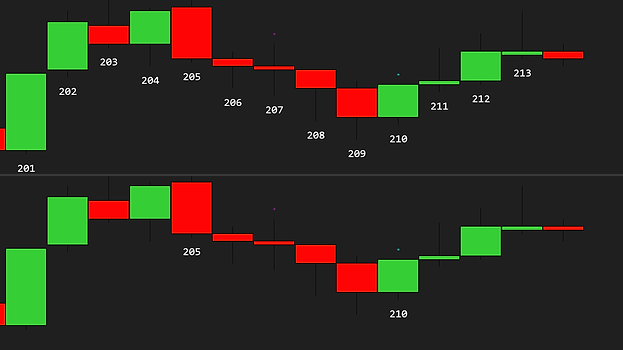
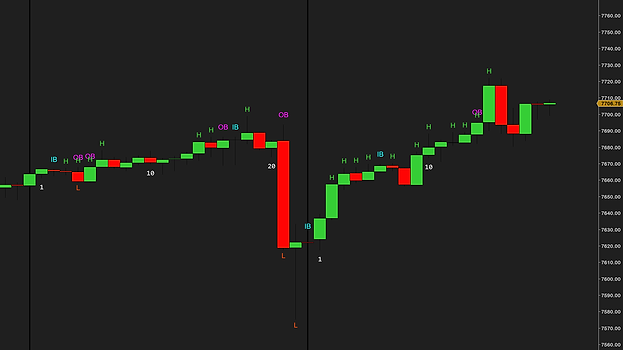
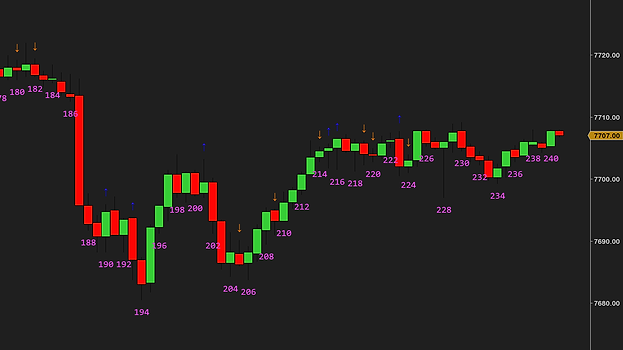
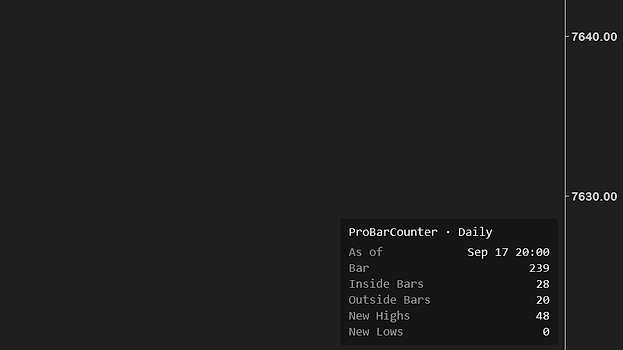
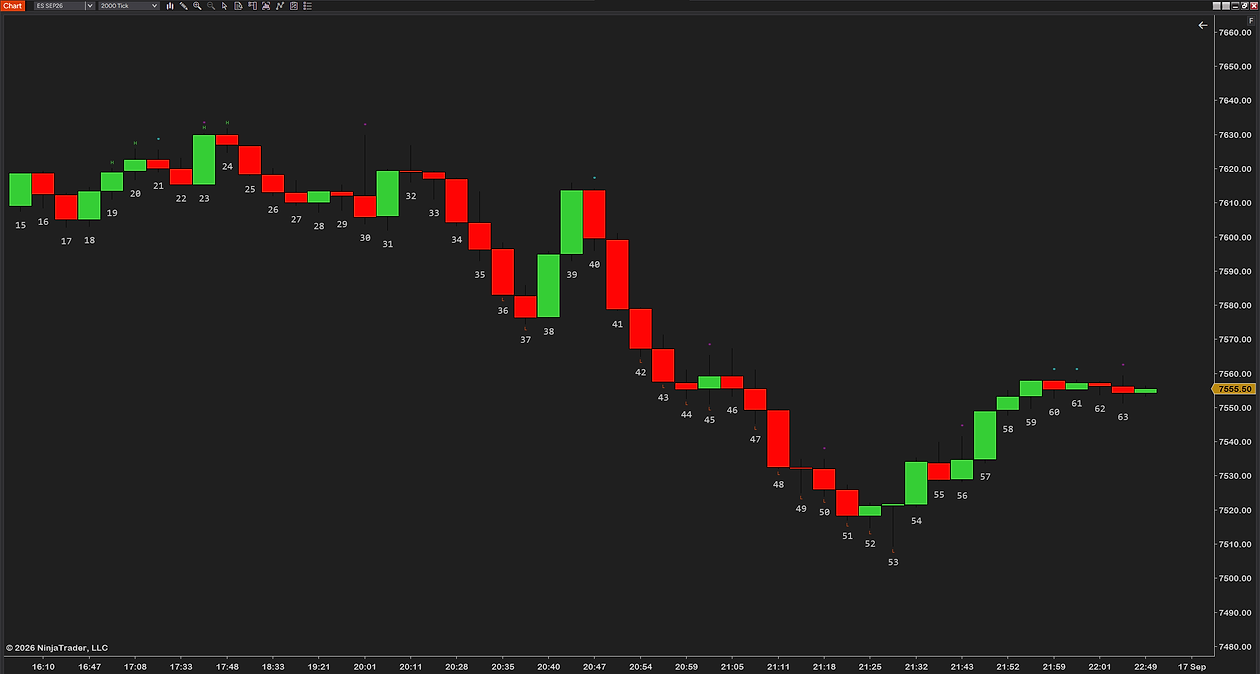
ProBarCounter on a 2000-tick ES chart, zoomed in: every bar numbered underneath from 15 to 63, small H marks above the bars that made a new session high and colored dots above the inside and outside bars ProBarCounter on a 2000-tick ES chart: the session line with bar 1 right after it, a number on every second bar, H marks above the new session highs ProBarCounter on a 2000-tick ES chart zoomed out over three sessions: two session lines, the count starting again at 1 after each, the numbers thinned out to every eighth bar ProBarCounter on a 15-minute ES chart over three sessions: a number every fifth bar, H marks above the new highs, the count restarting at each session line ProBarCounter on a 15-minute ES chart across one day: large green H flags above the bars that made a new session high, red L flags below the new lows, and small dots above the inside and outside bars ProBarCounter on a 15-minute ES chart with the inside and outside bars marked as text: a cyan IB above every inside bar, a magenta OB above every outside bar ProBarCounter on a 15-minute ES chart with a number on every tenth bar, 1 to 90 and then 1 again at the next session, plus the IB and OB markers ProBarCounter on a daily ES chart from April to September: the whole chart counted as one session, numbers from 570 to 690 every tenth bar, small H marks and IB and OB markers ProBarCounter on a 5-minute ES chart with orange numbers on every 30th bar, 30 to 270, the session line at 23:00 where the count started at 1 ProBarCounter on a 5-minute ES chart with a number every seventh bar and the info box in the bottom-right corner: bar 275, 46 inside bars, 40 outside bars, 16 new highs, 15 new lows
1 / 10

Counted, flagged, marked. Drawn as each bar closes.

session 1 2 3
Bar counting
IB
Inside bar
OB
Outside bar
H L
New high, new low

DailyUS RTHGlobexLondonTokyoSydneyUTCCustom

ProBarCounter on a 500-tick NQ chart across one session: every bar numbered from 1 at the session line, green H marks above the bars that made a new session high, red L marks below the new lows, and small dots above the inside and outside bars

More than any other bar counter. Completely free.

The count Basic tool ProBarCounter
Every bar numbered from the session start below, above or in the body of the bar✓✓
Eight session modes US RTH, Globex, London, Tokyo, Sydney, UTC, daily or custom; basic tool: chart session only✓
Weekend handling for custom sessions reset every day, or skip Saturday, the weekend, or Friday and Saturday✓
Every bar, or every 2nd, 3rd, 5th or 10th odd or even too; a basic tool does every 2nd bar only✓
Flags the bars that matter
New session highs and lows H above, L below as soon as the bar closes; elsewhere that takes a second tool✓✓
Inside bars range fully inside the bar before; circle, IB, triangle or arrow✓✓
Outside bars range fully covering the bar before; circle, OB, triangle or arrow✓✓
Count and flags in one indicator the usual route is two separate tools, one of them written for NinjaTrader 7✓
Info box with the running counts current bar, inside, outside, new highs, new lows, in any corner✓
Correct by design
No repaint a bar is classified when it closes and never changes✓✓
Counts from your session’s open not from the chart’s day; basic tool: needs a matching template✓✓
Labels thin out when you zoom out auto-skip keeps the chart readable; days to show limits the history✓
Yours to set
Font, size, color, opacity and distance per mark group; basic tools have size, color and distance✓
Five presets Default, Brooks, Minimal, Focus Mode, Advanced; change any marker setting and it becomes Custom✓
Dark or light chart near-white colors darken by themselves on a light background✓
Free, with free updates no trial, no locked settings, no upsell; the usual alternatives were last updated in 2019 and 2011✓✓
Works on
Chart types
Tickany count
Minute, secondany length
Volumeany size
Range, Renkoany size
Instruments
Futuresall exchanges
Stocksand ETFs
FX and cryptono volume needed
Data providerany
Needs
NinjaTrader 8any recent version, free tier included
Dataprice only, no volume
Licensenone, nothing to activate
Machine IDnone

In short: NinjaTrader 8 and a chart. That is all ProBarCounter needs.

Built for intraday bars. On a daily or higher chart the whole chart counts as one session. Keep the data series on Calculate: On bar close, the default; a bar is classified when it closes.

Get ProBarCounter on your chart

You might ask: why is this free, what is the catch? There is none. We want to change the market for third-party NinjaTrader tools, and giving our work away is part of how we do it.

To say it plainly: this market is overpriced and full of low-quality tools with missing features and bugs. Vendors charge hundreds of dollars for simple indicators. No indicator, add-on or tool will make you profitable. A good one makes your trading environment better, and you know that already, or you would not be here looking.

Our goal is the highest-quality products we can build, tools that make a real difference on the chart. We get there by testing hard: weeks on live charts before release, feedback from the traders who use them, and a close read of what the forums complain about. We offer a full refund within 14 days, we adapt tools for customers who ask, and we give most of our work away.

Most of our tools are free for a reason. We want you to try them, see the quality and the features for yourself, and not spend a dollar with us until you think a tool deserves it. We are a business and we intend to make money, by solving real problems for traders.

So yes, ProBarCounter is completely free, no strings attached. If you like it, there are more free tools and paid ones priced well under what is usual in this market. Leave a review if you want to, good or bad, we read every one. If you have any questions, please email us at [email protected].
Free download

$0/forever

No card, no license key, no expiry. Nothing to cancel because nothing was started.

Download free
Included:
  • Every setting, every marker, every color
  • Free updates
  • Support by email, from the traders who built it
  • One zip, one import — the same install as our paid tools
  • Install it on every computer you use

Delivered by Creem. The download link lands on the next page and in your email.

How traders use it

Four ways to read a session that is already counted for you. None of them is a signal; the entries, the stops and the discipline are still yours.

The playbookThe bar-N setup

“Wait for bar 3 to close” is only useful when everyone agrees which bar is bar 3. Every bar carries its number, so there is no recounting and no arguing with yourself.

CompressionThe coil

Inside bars are marked as they close. When they start stacking, the market is squeezing; you see it form without hunting candle by candle.

The pushThe breakout check

New session highs and lows are flagged as each bar closes. One glance tells you whether the push made new ground or stalled inside the range.

SessionThe right bar 1

Trading London or Tokyo hours? Pick the session mode and the count starts where your market opens, so your numbers match your playbook.

New to bar counting? Read the full guide →

Frequent questions.

Question or idea for improvement? Email us. We reply fast.

Genuinely free — no trial period, no locked settings, no license key, nothing to upgrade to. We sell other indicators; free tools like this one are how we show you the quality of the work first.

Download the zip, then in NinjaTrader 8 go to Tools → Import → NinjaScript Add-On and pick the file. Add ProBarCounter to any chart from the Indicators list, pick a preset or set your own session mode, and the numbers are on the chart — most traders are done in under a minute. The step-by-step guide covers every message NinjaTrader can show and the update rule.

Whenever your session mode says so. Daily resets at midnight in your chart’s time zone. US RTH resets at 09:30 New York, Globex at the 18:00 New York reopen, London at 08:00 London, Tokyo and Sydney at 09:00 local, UTC at 00:00 UTC. Custom takes any hour and minute in US Eastern, Central, Mountain, Pacific or UTC, with a choice of resetting every day, or skipping Saturday, the weekend, or Friday and Saturday.

An inside bar’s whole range sits inside the bar before it. An outside bar’s range covers the whole bar before it. Both are judged when the bar closes, so a marker never appears and then vanishes. The first bar of a session gets no marker or flag; it is the reference the bars after it are judged against.

No. A bar gets its number and its markers when it closes, and they never change afterwards. Keep the data series on Calculate: On bar close (the default); set to anything else, the indicator warns you on the chart instead of guessing.

Yes — tick, minute, second, volume, range and Renko charts, any instrument, any data provider. It needs no volume data. On a daily or higher chart the whole chart counts as one session, since a session inside a day cannot be told apart there.

It thins itself out. Zoom out and crowded labels auto-skip; number every 2nd, 3rd, 5th or 10th bar if you prefer; limit the labels to the current session (the default) or up to 30 sessions back; and the Minimal preset is numbers only, every fifth bar.

No, and we won’t pretend it is. It counts and flags structure — which bar you are on, which bars made new ground, which ones coiled. What you do with that is the trade, and that stays yours.

Email support, answered by the traders who built it. Bugs get fixed — this tool gets the same updates and support as our paid indicators.

See the count on your own chart.

Free, no card, no license key. Download it, import it, and every bar is numbered in under a minute.

Not for you if you want the tool to tell you when to buy and sell. ProBarCounter counts and flags the session correctly; the reading, and the trade, are yours.